Teams now expect their collaboration tools to summarise a long thread, draft a project plan or find the decision hidden in last month’s notes. For a product team, the easy way to add that is a third-party model API. It is quick to ship, but some customers will soon ask where their documents go, and larger accounts may rule out external processing altogether.
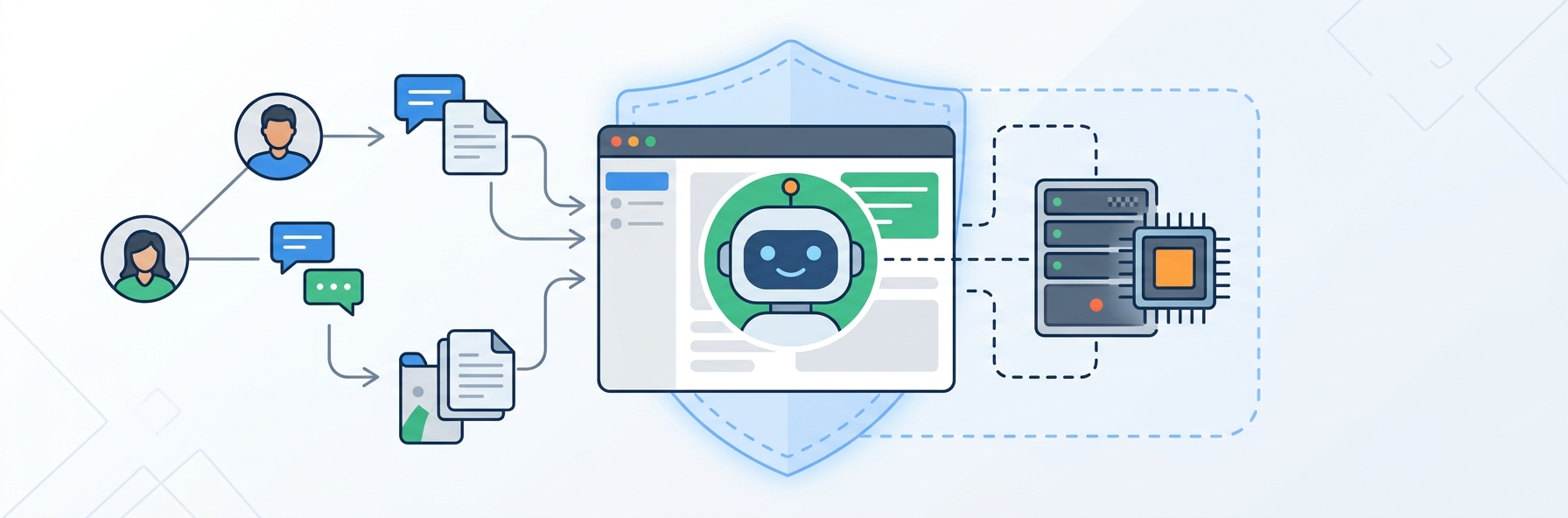
That is when a private assistant enters the conversation: an open-weight model running on infrastructure you control. It solves the data question, but it creates a new set of infrastructure decisions. Here is how to think through them before committing.
Decide What the Assistant Actually Has to Do
The hardware follows from the features, so start with a short list of what users will ask. Most assistants in team tools fall into three categories:
- Summarising and rewriting. Short, frequent requests, where a smaller model often does well.
- Answering questions about workspace content. This adds embedding, a vector index and a retrieval step before the model runs.
- Longer generation. Drafting plans or reports, where latency matters less but tokens add up.
For each one, estimate how many requests you expect per minute at peak and how long a typical prompt and response are. Be realistic about usage. In most team tools, only a share of active users touch AI features on any given day, and demand tends to cluster around working hours in each time zone.
Pick the Model Size Before the Hardware
Model size determines nearly everything that follows. A compact model with a few billion parameters can run comfortably on a single modern GPU, while a large model may need several. GPU memory is the hard limit: the model weights must fit, along with the working memory that grows with context length and with the number of requests running at the same time.
Test candidates on your own content rather than relying on public leaderboards. Build a small evaluation set of real tasks, such as twenty threads to summarise and twenty questions with known answers, and let a few team members rate the output. Teams often find that a smaller model with good retrieval beats a larger model working without context. Check the licence on each model as well, since commercial terms vary.
Serve It Efficiently
How you serve a model has as much effect on capacity as which GPU you buy. A serving engine that batches requests can handle many more users on the same hardware. The vLLM documentation describes an inference server with continuous batching and an OpenAI-compatible API, which also makes it easier to switch between a hosted API and your own server during development.
Measure these figures under a realistic load before you size anything:
| Metric | What it tells you | Why it matters here |
|---|---|---|
| Time to first token | How quickly the response starts | Users tolerate slow answers if text begins to appear |
| Tokens per second per user | Reading speed of the output | Should stay above comfortable reading pace at peak |
| Concurrent requests at target latency | True capacity of one GPU | Sets how many servers you need |
| GPU memory at peak | Headroom for longer context | Running out causes failures, not slowdowns |
| Queue length during bursts | Whether capacity is keeping up | The early warning before users complain |
Run this test with prompts of realistic length. A benchmark built from short prompts will overstate capacity for a feature that sends long documents to the model.
Buy, Rent or Keep the API
There are three main options, and many products use more than one at different stages.
Keep an API for a while. A hosted API remains the cheapest way to learn whether anyone uses the feature. If the first version is opt-in, start here and collect real usage data.
Rent hardware. When usage becomes steady, or customers demand isolation, dedicated GPU hardware gives you predictable costs and clear data boundaries. Teams that want this without buying equipment can rent ai server capacity by the month, run the same load test on it and scale up when the numbers justify it. Renting also protects you from a fast-moving hardware market, because you are not tied to one GPU generation for years.
Buy. Owning makes sense when utilisation is high and steady over several years and you have the staff and data centre space to run it. Few product teams adding their first AI feature are in that position.
Compare the options at your expected volume, including engineering time. A GPU sitting idle overnight is still a cost, so a hybrid is often sensible: your own hardware for steady traffic and sensitive workspaces, an API for overflow where policy allows.
Keep Workspaces Separate
A private model does not automatically make a product safe. Data isolation still needs its own design, and this checklist covers the essentials:
- Enforce workspace permissions at retrieval time, so the assistant can only read what the user can read.
- Keep vector indexes separated by workspace, or filter every query by tenant at the database level.
- Disable prompt and response logging by default, or set a short retention period and limit who can access it.
- Treat documents as untrusted input, because text inside a file can try to instruct the model.
- Give admins a clear control to turn the feature off and document how data is handled.
Add these controls before launch. Retrofitting tenant isolation after customers have already built indexes is painful and hard to verify.
Roll It Out Gradually
Launch to a small group first and watch both quality and capacity. Track how often people accept or discard a suggestion, how long requests wait, and which tasks generate the most complaints. Those numbers will tell you whether the next investment should go to a larger model, better retrieval or more hardware.
A private AI assistant is an ongoing service, not a one-time feature. Plan for model updates, re-evaluation on your test set and regular capacity reviews. Teams that treat it this way can offer customers something a generic API integration cannot: useful AI with clear answers about where the data lives.
Published: November 5, 2026