
Creating a portfolio is about more than just showing off your work; it’s about building a brand and a business. A strong portfolio identity requires a solid foundation, one that’s organized, professional, and easy to manage. That’s where templates come in. They provide a structural starting point, allowing you to focus on what matters most: your content and your career. Using professional portfolio website templates is a game-changer, giving you the framework to build an impressive site that works for you.
This article will explore how templates are more than just a pretty face for your work. We’ll dive into how they serve as a powerful organizational tool, help you manage your business, and integrate with modern tech like AI. You’ll learn how to choose and customize a template to create a portfolio that is both visually stunning and strategically smart.
TL;DR
- Portfolio templates are crucial for building a professional identity, providing an organized framework to showcase your work effectively.
- They save time by managing complex website structures, ensuring a polished, mobile-friendly experience for users.
- Customization allows you to infuse your unique brand identity, focusing on colors, layouts, and navigation for distinctiveness.
- AI tools enhance portfolio creation by streamlining content generation and optimizing design, saving effort and improving results.
- Over 80% of users find template-based sites easier to navigate, increasing the likelihood of engagement with your work.
Why Use Portfolio Website Templates?
Using portfolio website templates provides a structured and professional foundation for your site. This allows you to build a powerful portfolio quickly without starting from scratch.
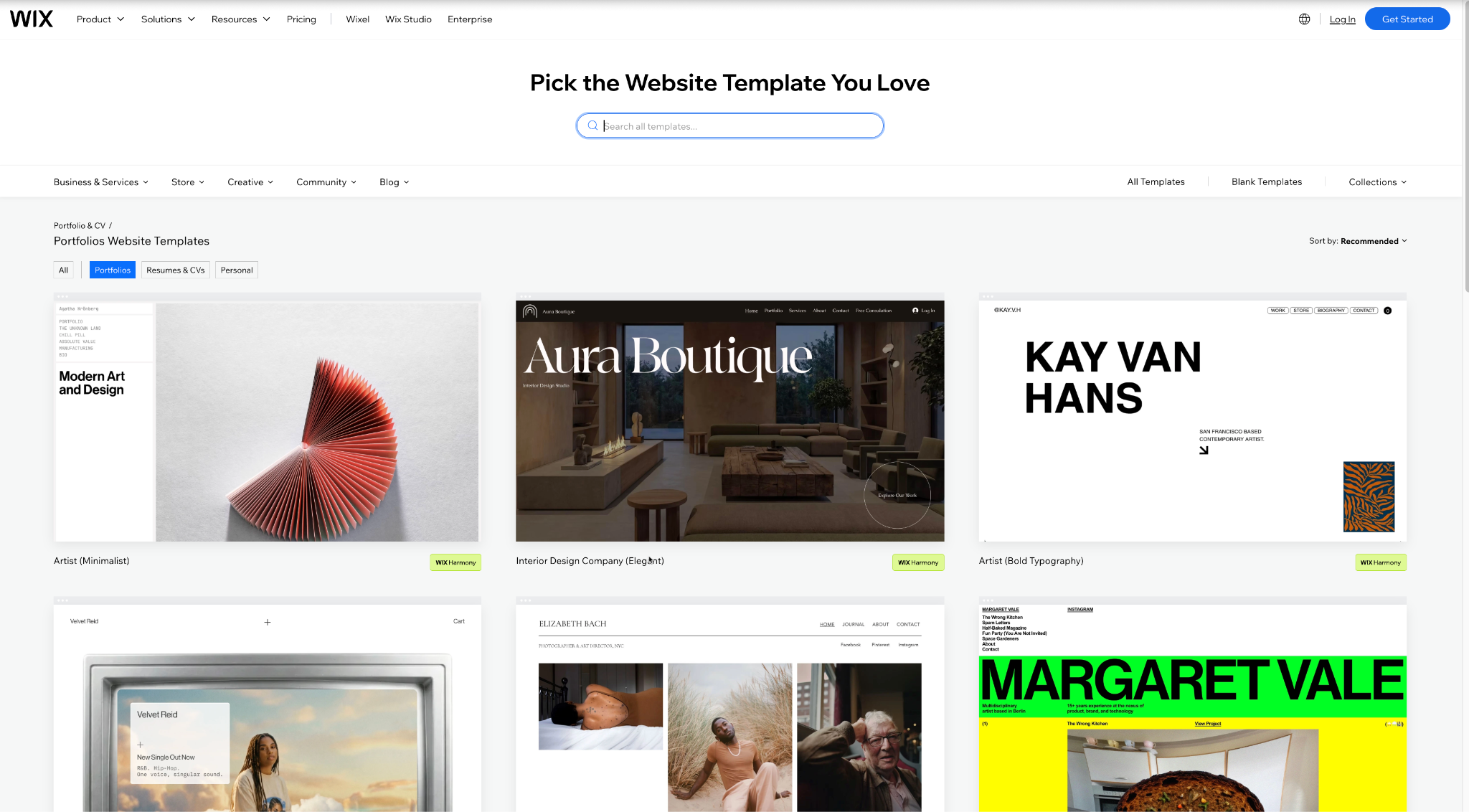
Templates are pre-designed layouts that give you a head start on building your website. They handle the complex structural elements, like navigation, page layouts, and mobile optimization, so you can concentrate on adding your personal touch and content. By choosing high-quality portfolio website templates, from a reliable web building platform like Wix, you aren’t just picking a design; you’re adopting a proven system for presenting your work effectively. This saves you valuable time and ensures your final product looks polished and functions perfectly across all devices, which is essential for making a great first impression on potential clients or employers.
Key Takeaways
- Templates provide a pre-built, professional structure for your portfolio.
- They save you time by handling the technical aspects of web design.
-
Using a template ensures a polished, mobile-friendly experience for visitors.
Templates as Your Organizational Command Center
A template acts as a blueprint for organizing your professional life online. It creates a centralized hub where you can systematically arrange projects, services, and contact information.
Think of your portfolio not just as a gallery, but as a business management tool. A well-designed template provides dedicated sections for everything you need. It helps you categorize your projects, detail the services you offer, and present client testimonials in a clean, logical way. This structured approach, facilitated by a good Content Management System (CMS), turns your website into a dynamic and organized headquarters for your brand. You can easily update projects, add new blog posts, and manage client inquiries, all from one place.
The Power of a Good CMS
A Content Management System (CMS) is the software that allows you to create, manage, and modify content on your website without needing specialized knowledge. It’s the engine that powers your template, making organization simple.
With a robust CMS, your template becomes incredibly versatile. You can perform tasks like:
- Adding dynamic content: Easily create and update project pages, case studies, or blog posts. Many platforms offer features to manage large collections of content, which is perfect for growing portfolios.
- Managing media: Upload images, videos, documents, and even animations for brands, organizing them into galleries and collections. A quality CMS will automatically optimize these files, ensuring fast loading times and smooth performance.
- Integrating business tools: Connect booking systems, contact forms, and e-commerce functionalities directly into your site. This transforms your portfolio from a simple display into an interactive business platform.
- Maintaining brand consistency: The template, powered by the CMS, ensures that every new page you add automatically adheres to your established branding, like fonts, colors, and layouts.
Key Takeaways
- Templates provide a clear structure for organizing your work and business information.
- A strong CMS makes it easy to update and manage your website’s content.
- Integrating business tools into your template turns your portfolio into a functional business hub.
Customizing Templates for a Unique Brand Identity
Customizing a template is the process of modifying its design and layout to reflect your unique personal brand. It’s about taking a great foundation and making it entirely your own.
A common misconception is that using a template means your site will look generic. The opposite is true. Modern templates are designed to be highly flexible, offering extensive customization options. You can change colors, fonts, and page layouts, and even add or remove sections to perfectly match your vision. This process is about infusing your personality and professional style into the pre-built structure. For developers and designers, it’s an opportunity to add custom code or unique interactive elements, proving that a template is a launchpad, not a limitation.
Elements to Personalize
To make a template truly yours, focus on customizing a few specific elements. These changes will have the biggest impact on creating a distinct and memorable identity.
Consider personalizing the following:
- Color Palette and Typography: Your colors and fonts are the visual cornerstones of your brand. Choose a palette that reflects your industry and personality. Select clean, readable fonts that align with your professional tone.
- Homepage Layout: The homepage is your first impression. Rearrange sections, change the hero image or video, and craft a headline that immediately communicates your value proposition.
- Navigation Menu: Customize your site’s navigation to guide visitors logically through your work. Use clear and concise labels like “Work,” “About,” and “Contact” to create an intuitive user experience.
- Project Pages: Don’t just drop in images. Create a unique layout for your project or case study pages. Tell a story for each project, explaining the challenge, your process, and the outcome.
Key Takeaways
- Customizing a template is key to creating a unique brand identity.
- Modern templates are highly flexible and allow for deep personalization.
- Focus on customizing colors, fonts, homepage layout, and project pages for the most impact.
The Role of AI in Supercharging Your Portfolio
Artificial intelligence (AI) provides tools that can help you create and optimize your portfolio content more efficiently. From writing assistance to design suggestions, AI can act as your creative partner.
AI is changing the game for creating and managing your professional website. Feeling stuck writing your bio or project descriptions? AI tools can jumpstart your creativity and help polish your text. Some website builders even have AI that helps design your site, suggesting layouts and images that fit your industry. By using these tools, you can work smarter, not harder, freeing you up to focus on your craft and even use your site to Collect and Validate Leads at Scale.
Key Takeaways
- AI tools can help you generate and refine content for your portfolio.
- AI can offer data-driven suggestions to improve your site’s design and user experience.
- Using AI streamlines the creation process, saving you time and effort.
Summary
A portfolio template is far more than an aesthetic choice; it’s the strategic backbone of a well-managed professional identity. By providing a solid, organized structure, it empowers you to build a powerful hub for your business. Starting with a professional template, customizing it to reflect your unique brand, and leveraging modern tools like a CMS and AI allows you to create a portfolio that is both beautiful and functional. It becomes an active asset in your career, helping you attract opportunities and manage your work with ease. Your portfolio is a testament to your professionalism, and with the right foundation, you can build something truly remarkable.
FAQ: Building a Strong Portfolio Identity
1. Is using a portfolio template bad for my personal brand?
Not at all. A template is a starting point. A quality template gives you a professional, well-structured foundation that you can then customize extensively to match your personal brand. The key is to personalize colors, fonts, content, and layout to make it uniquely yours.
2. How do I choose the right template for my industry?
Look for templates designed specifically for your field, whether you’re a photographer, developer, or writer. Consider the layout: do you need large image galleries, or is it more text-focused? Prioritize templates that are clean, mobile-friendly, and offer the flexibility to showcase your work in the best possible light.
3. Do I need a website if I already have a social media profile for my work?
Yes, having your own website is highly recommended. A website gives you complete control over your brand narrative and presentation, free from the limitations and distractions of social media algorithms. It serves as a central, professional hub that you own and can direct all potential clients or employers to.
4. How can I get content ideas for my portfolio blog?
If you’re stuck, use creative AI tools to brainstorm topics related to your industry. You can also document your process, write about challenges you’ve overcome on a project, share insights on new technology, or create tutorials. The goal is to demonstrate your expertise and thought process.
Published: February 26, 2026