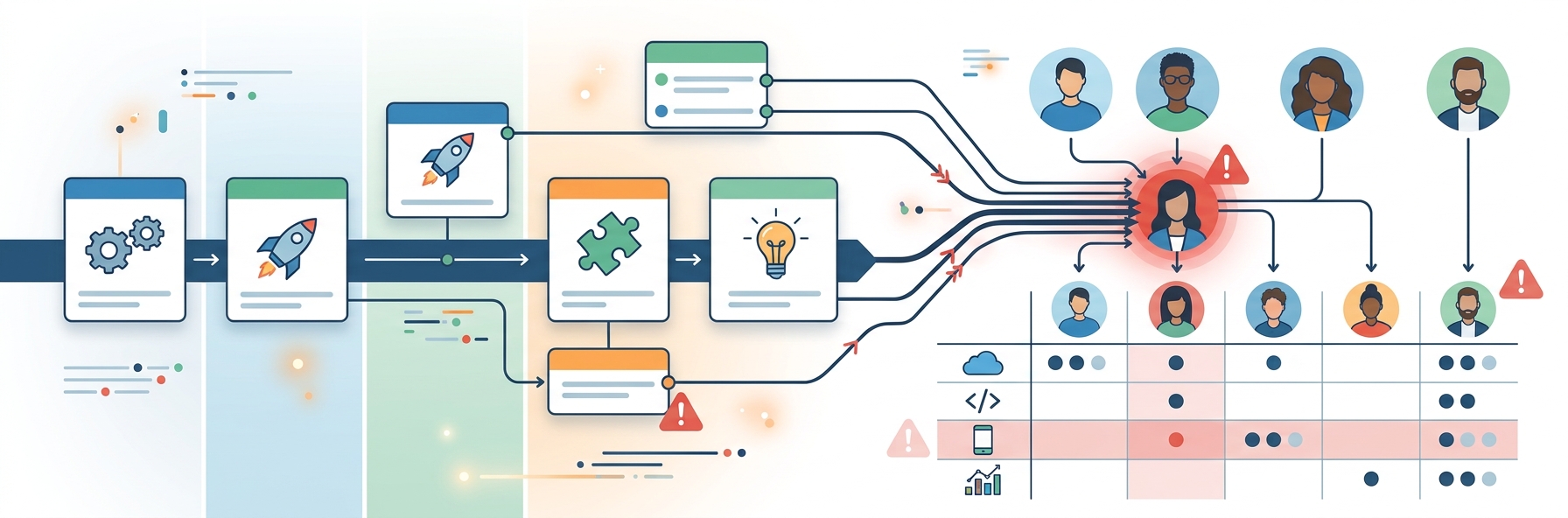
Given the countless tools available today for productivity and team collaboration, organizations are spoilt for choice. The worldwide market for such software was valued at $40.2 billion in 2025 and is expected to be worth $85.2 billion by 2033. This gives a clear picture of how vast the market is.
At the same time, that also introduces certain complexities. With so many tools having similar capabilities, it can be overwhelming to identify the solution that truly meets your team’s needs. Beyond comparing features and pricing, you also need to evaluate usability, integrations, customer support, and long-term value.
This is where software comparison platforms enter the picture to cut through the noise. Again, not every platform may meet your needs. As Gerrit Kazmaier, President of Product and Technology at Workday, shared during an interview with The Verge, “Now, basically, the question is what do you have available in terms of tools and software that allow you to do a job in the best possible way?”
Several websites provide reviews and ratings, but the best ones walk the extra mile with detailed feature analyses, transparent user feedback, and pricing insights. To help simplify your search, this article has rounded up six of the best software comparison platforms for team collaboration and productivity software. Get to know what each offers, what sets it apart, and considerations to keep in mind before making a decision.
G2
Best for: Businesses seeking software decisions backed by real customer experiences
Primary strength: Extensive verified reviews and data-driven software comparisons
Ideal users: Small and mid-sized businesses (SMBs) or those in their challenger growth stages
Key Features
G2 believes that the buyer’s voice is the ultimate truth. With that as its foundation, this software comparison platform hosts a vast library of reviews to browse.
As per G2’s 2025 Year in Review report, the platform reached over 100 million global buyers in 2025. It now features 200,000+ products and services, over 175,000 vendors, and more than 3 million verified reviews. You can browse 2,000+ product categories, of which team collaboration and productivity software is one.
Users can compare software side by side, which makes it easier to evaluate pricing models, deployment options, and customer satisfaction ratings. Advanced search filters further simplify the research process by allowing teams to narrow down based on company size, business needs, industry, or specific functionality.
What Makes it Stand Out
If there is something that sets G2 apart, it is the platform’s commitment to showcasing authentic customer experiences. Detailed feedback is available on everything, from software implementation and onboarding to ease of use and customer support.
Another standout feature is G2’s proprietary reports and comparison grids. These position software products based on customer satisfaction and market presence. It makes it easier to discover market leaders and compare competing collaboration platforms.
Things to Keep in Mind
Despite the rich collection of user-generated insights, no single review tells the full story. Business needs may vary dramatically based on team size, industry, and workflows. So, spend time reading multiple reviews, comparing similar products, and utilizing demos or free trials before making a decision.
Software Finder
Best for: Businesses looking for a guided and personalized software selection experience
Primary strength: Tailored software recommendations backed by expert guidance and verified reviews
Ideal users: Small businesses, growing organizations, and enterprise teams researching collaboration and productivity software
Key Features
Choosing collaboration and productivity software often means narrowing down dozens of products with similar features, pricing models, and capabilities. Software Finder is designed to simplify that process by combining software research with personalized guidance. This helps businesses identify solutions that match their unique needs rather than overwhelming them with endless options.
The platform features a broad catalog of business software across categories (1,000+) such as team collaboration, document management, customer relationship management (CRM), human resources, and many other functions. There are over 350,000 verified reviews to browse through across more than 50,000 software products.
Each software profile typically includes customer reviews, screenshots, supported integrations, and comparisons with similar products. As a result, buyers get a 360-degree view before they begin shortlisting solutions.
Moreover, the platform does not expect users to browse hundreds of products on their own. Search is narrowed based on factors such as business size, industry, budget, deployment preferences, and required functionality. Such an approach can help save valuable research time, especially for companies exploring software for the first time.
What Makes it Stand Out
This comparison platform sets itself apart by making software selection more manageable rather than simply presenting an extensive directory of products. Besides verified customer reviews, the platform offers access to software advisors who can help understand business requirements and identify relevant products.
Another notable strength is the platform’s emphasis on helping buyers analyze software from multiple viewpoints. Users can explore product features, pricing, deployment models, and available alternatives within a single research workflow. This enables decision-makers to build a more balanced list before contacting vendors or scheduling demonstrations.
Things to Keep in Mind
Even though software research is simplified by blending recommendations, reviews, and comparison tools, it’s still important to select products carefully. Consider going through multiple user reviews and, where available, booking a software demonstration for added confidence. If your organization has highly specialized technical or compliance requirements, consult with internal stakeholders during the evaluation process.
TrustRadius
Best for: Businesses that want comprehensive software reviews before making a purchase
Primary strength: Detailed, verified reviews that go beyond star ratings
Ideal users: SMBs evaluating collaboration and productivity software for long-term use
Key Features
TrustRadius is designed to help businesses make confident decisions through verified, detailed customer feedback. It encourages every user to share as many details as possible in their reviews.
You will observe that reviews cover all important aspects, including implementation, feature performance, product updates, and return on investment. Essentially, you can get a complete understanding of how a solution performs over time.
According to a 2025 McKinsey & Company report, almost all companies invested in AI, but only 1% believed they were at maturity. Moreover, the biggest barrier was not employees but leaders who weren’t steering fast enough. This insight shouldn’t stir up haste, as adopting new technology in any area is a decision to be made wisely.
TrustRadius also covers thousands of software categories. You can compare each product carefully, browse customer sentiment, and filter reviews by industry, company size, and reviewer role.
What Makes it Stand Out
TrustRadius distinguishes itself by focusing on the quality of reviews instead of sheer volume. Plus, the detailed feedback helps buyers understand every stage of the software journey.
The platform’s commitment to authentic feedback is also evident in its annual recognition programs. As per the 2025 TrustRadius Top Rated Awards, 442 products across 562 software categories received recognition based entirely on customer reviews and ratings.
Finally, the review process is completely transparent. In other words, TrustRadius identifies whether the reviews come from end users, administrators, or decision-makers.
Things to Keep in Mind
Since TrustRadius encourages detailed reviews, it may take a while for you to research software on this platform. However, the additional depth can be worthwhile, especially since you’re looking for software that can become a part of your organization’s daily operations.
SourceForge
Best for: Businesses and IT teams exploring both open-source and commercial software options
Primary strength: Extensive software directory with flexible comparison options across thousands of business and developer tools
Ideal users: Startups and budget-conscious teams comparing collaboration and productivity software
Key Features
With one of the longest-running software directories, SourceForge provides businesses access to a broad selection of both open-source and commercial software. To give more perspective, the directory connects nearly 20 million visitors.
Plus, open source software has been growing in importance. Linux Foundation’s State of Global Open Source 2025 report found that organizations now depend on open source software as the backbone of their critical systems. It has truly become a core part of enterprise technology infrastructure.
As for SourceForge, you can compare proprietary collaboration tools with open-source alternatives before investing. The platform organizes software into thousands of categories, including project management, workflow automation, productivity, cybersecurity, and more.
In each software listing, you will find feature overviews, user reviews, pricing information, screenshots, and links to product demos or vendor websites. Again, it’s possible to enhance your search by using filters such as deployment type, pricing model, business size, and industry.
What Makes it Stand Out
Its strong connection to the open-source software community is perhaps the strongest distinguishing factor of SourceForge. That’s because most comparison platforms primarily focus on commercial SaaS products. This is especially useful for organizations with technical teams and unique workflow requirements.
Another set-apart feature is the platform’s software discovery approach. It does not merely rank products based on popularity. SourceForge gives detailed product profiles that include technical specifications, licensing information, release history, and download options where applicable. This is useful for teams that need to assess software compatibility before deployment.
Things to Keep in Mind
Because SourceForge features such a wide variety of software, including open-source projects and commercial applications, the quality of individual listings may vary. Some products provide extensive documentation and user feedback, whereas newer or niche applications have less information to offer. It’s worth reviewing multiple sources and testing the software (if possible) before concluding.
Goodfirms
Best for: Businesses looking to compare software while also assessing technology vendors and service providers
Primary strength: Curated software listings backed by company research, user reviews, and vendor profiles
Ideal users: SMBs, startups, and organizations planning software implementations or digital transformation projects
Key Features
Goodfirms is more than a traditional software review platform. Besides helping businesses with comparisons, it also connects buyers with technology vendors, development agencies, and IT consultants. This makes it useful for organizations looking for the right software and the right implementation partner.
The need for careful software evaluation is only growing as workplace technology evolves. Fortune recently highlighted how companies such as OpenTable, Salesforce, and Land O’Lakes are exploring AI agents to streamline workflows and improve productivity. Since businesses rush to adopt more intelligent technologies, the software landscape is expanding.
Given the complexity this presents, Goodfirms comes to the rescue by bringing software and vendor insights in one place. Just like the others, there are thousands of categories and technologies to choose from. Each software profile typically includes an overview of core capabilities, feature highlights, and comparisons with similar products.
What Makes it Stand Out
Its combination of software discovery and vendor research sets Goodfirms apart. Instead of focusing just on software products, this platform also provides detailed company profiles for technology providers. This gives a complete picture, especially for firms planning custom development and system integration.
Another distinguishing feature is Goodfirms’ research-driven approach. All software and vendors are evaluated using the platform’s research methodology, considering factors such as service quality, industry expertise, and client satisfaction.
Things to Keep in Mind
Although Goodfirms offers valuable research and curated rankings, treat these as part of your comparison process. Don’t skip product demonstrations or vendor enquiries to get additional context. If you’re comparing several collaboration platforms, consulting multiple review websites can help build a balanced perspective.
PeerSpot
Best for: Businesses evaluating software through peer experiences
Primary strength: In-depth implementation insights and reviews from verified technology professionals
Ideal users: IT leaders, system administrators, and technology consultants comparing collaboration and productivity solutions
Key Features
The name itself gives a hint into the kind of comparison platform this is. PeerSpot is built primarily for enterprise technology buyers. This means it caters mainly to IT professionals looking for software used in complex business environments.
It is especially valuable for businesses that need to integrate software with their existing systems. According to a recent Forbes survey, 99% of companies planned to increase their tech investments in 2025. 57% expected those investments to grow by 10%. The research also discovered that technology purchases are becoming more collaborative, with business leaders working alongside IT for software assessments.
PeerSpot supports this process by featuring software across a wide range of categories, including team collaboration, communication, project management, cloud computing, and IT infrastructure. Under each product profile, you will find detailed feature information, comparisons, and links to vendor resources. Buyers can also explore alternatives based on their technical and business requirements.
What Makes it Stand Out
What truly makes PeerSpot stand out is the depth of its enterprise-focused reviews. Besides customer satisfaction, people share practical experiences with product deployment, implementation, security, performance, and even ongoing maintenance.
Another unique strength is the professional background of its reviewer community. Feedback often comes from experienced IT managers, engineers, consultants, and technology leaders who work directly with enterprise software. Since details regarding business use cases and deployment scenarios are shared, you can judge whether a solution is likely to fit your organization’s technical and operational needs.
Things to Keep in Mind
As PeerSpot is designed with enterprise technology in mind, some reviews include technological jargon that may make more sense to IT professionals. In case you’re evaluating collaboration software for a less complex setting, it’s worth combining PeerSpot’s insights with feedback from other comparison platforms.
FAQs
Why should I use a software comparison platform instead of relying on a vendor’s website?
A vendor’s website is the best place to learn about a product’s features, integrations, and pricing. However, software comparison platforms provide a broader perspective by combining verified customer reviews and insights into real-world experiences. Using both resources allows you to validate marketing claims and understand how a platform performs in different business scenarios.
What should I prioritize when comparing team collaboration and productivity software?
Start by identifying your team’s specific requirements rather than focusing only on the number of features. Consider factors such as scalability, integration with existing tools, pricing, deployment models, and the quality of user reviews. Keep aside a few options and ask for product demonstrations or free trials.
How can I narrow my software options without becoming overwhelmed?
The first step is to understand your team’s must-have requirements, such as collaboration features, integrations, budget, and deployment preferences. Then, use search filters, verified reviews, and feature breakdowns to eliminate options that don’t meet your needs. Once a shortlist is prepared, schedule demos to evaluate which platform performs best in real-world scenarios.
Key Data Points to Consider
| Worldwide market for collaboration and productivity software, both current size and projected growth | $40.2 billion in 2025, expected to become $85.2 billion by 2033 |
|---|---|
| G2’s 2025 Year in Review report | The platform reached over 100 million global buyers in 2025 It now features 200,000+ products and services, over 175,000 vendors, and more than 3 million verified reviews Users can browse through 2,000+ product categories |
| 2025 TrustRadius Top Rated Awards | 442 products across 562 software categories received recognition based entirely on customer reviews and ratings |
| Software Finder software catalog stats | 1,000+ software categories, which include more than 50,000 products with 350,000+ verified user reviews |
| Linux Foundation’s State of Global Open Source 2025 report | Organizations now depend on open-source software as the backbone of their critical systems |
| SourceForge directory | Connects nearly 20 million visitors |
| Recent Forbes survey on companies and their tech investments | 99% of companies planned to increase their tech investments in 2025 57% expected those investments to grow by 10% |
So, which platform is the best for you? Well, that ultimately depends on what you’re trying to accomplish. If your priority is understanding real user experiences, platforms with extensive verified reviews can provide valuable firsthand viewpoints. If assessing complex enterprise software is the goal, resources that offer technical discussions are more useful.
Again, organizations exploring open-source alternatives or technology vendors may benefit from platforms that specialize in those areas. What’s important is that you consider the depth and credibility of reviews, pricing transparency, and whether the platform verifies its users. Also consider how frequently reviews are updated.
No single comparison platform can answer every question or highlight every business scenario. For the most balanced perspective, try consulting more than one source, requesting product demonstrations, and utilizing free trials whenever possible. These can help you select collaboration and productivity software that’s in line with your team’s workflow, long-term goals, and budget.
Published: July 22, 2026