Best AI Tools and Agent Development Platforms for Teams in 2026
I have spent a lot of time this year watching teams add tool after tool to their stacks and end up no more productive than when they started. A whiteboard here, a task manager there, an AI assistant bolted on top – and by the end of the quarter, half the team is ignoring half the software. The problem is almost never the technology. It is the mismatch between what a tool actually does well and what a team genuinely needs from it.
The good news is that the category has matured considerably. According to research from McKinsey, knowledge workers currently spend around 28% of their workweek managing email and another 14% searching for information. The best AI tools and platforms on the market in 2026 are specifically designed to cut into those numbers. The ones that work best for teams are those that combine intelligent automation with human-readable workflows, fit inside an existing stack without requiring a full migration, and – for teams with more advanced requirements – support autonomous AI agent deployment for multi-step task execution.
This guide covers the tools I consider most relevant across two overlapping categories: AI collaboration platforms for day-to-day team productivity, and AI agent development platforms for teams that need to build or deploy autonomous systems. Both matter in 2026, and the right choice depends on where your team’s biggest bottlenecks actually sit.
Why AI Collaboration Tools and Agent Platforms Are Different Problems
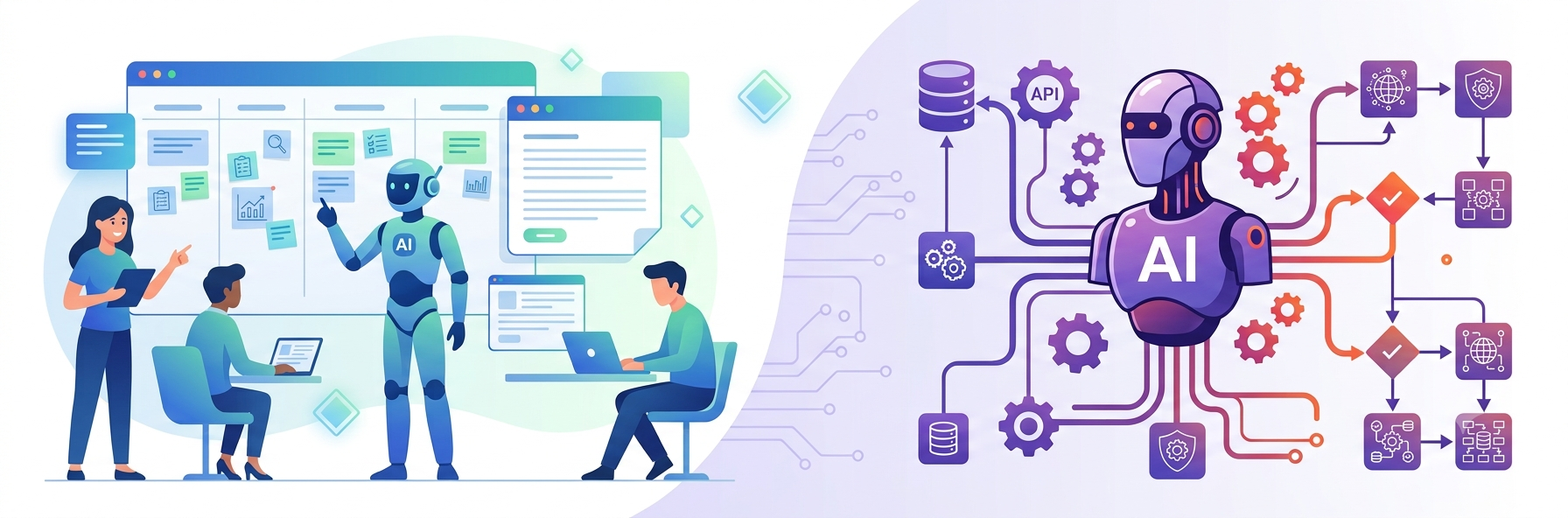
Most listicles treat every AI tool as interchangeable. In practice, a team choosing a visual collaboration board for brainstorming is solving a completely different problem than an engineering team trying to deploy a multi-step autonomous agent that reads contract data, flags risks, and routes approvals without human intervention.
AI collaboration tools – platforms like Miro, Notion, ClickUp, and Weje – are built around human-in-the-loop workflows. They add AI assistance to tasks that people are already performing: drafting documents, organizing boards, summarizing meeting notes, clustering research data. The AI is a co-pilot, not a pilot.
AI agent development platforms, by contrast, enable teams to build systems that operate autonomously. These agents perceive inputs, reason through multi-step tasks, call external tools and APIs, and execute decisions without waiting for a human to approve each step. The technical bar is higher. So is the ROI ceiling. Gartner projects that 40% of enterprise applications will embed task-specific AI agents by the end of 2026, and McKinsey estimates that autonomous AI agents could generate between $2.6 and $4.4 trillion in annual business value. Choosing the wrong platform for either category is expensive. This guide helps you avoid that.
AI Tools and Platforms for Teams: Quick Comparison
Platform | Category | Best For | Standout Feature | Free Plan |
|---|---|---|---|---|
LITSLINK | Agent development | SMEs and enterprise | Full-cycle agent delivery, 30-50% faster | No (custom quote) |
Miro | AI collaboration | Visual planning teams | AI canvas, Flows, 100M+ users | Yes (3 boards) |
Notion | AI collaboration | Knowledge management | Connected databases, Notion AI Q&A | Yes (limited) |
ClickUp | AI collaboration | All-in-one project teams | ClickUp Brain, 10M+ users | Yes (unlimited tasks) |
Weje | Visual collaboration | Creative and remote teams | Infinite canvas, nested cards, free | Yes (fully free) |
1. LITSLINK – Best AI Agent Development Platform for Teams Building Autonomous Systems
Not every team needs to build AI agents. But for those that do – product teams automating multi-step workflows, engineering teams deploying LLM-powered decision systems, or enterprises replacing manual approval chains with autonomous agent pipelines – the choice of development partner matters enormously. Most of the tools in this guide are SaaS platforms you can sign up for today. LITSLINK is different: it is a full-cycle development partner that designs, builds, and deploys custom AI agents tailored to your specific workflows, data architecture, and integration requirements.
Teams evaluating an AI agent development platform for custom autonomous systems need to look beyond off-the-shelf tools. The relevant criteria are LLM orchestration depth, retrieval-augmented generation capabilities, real-time tool-calling architecture, CRM and ERP integration experience, and a documented track record of production deployments rather than demo-stage prototypes. LITSLINK covers all of these. Founded in 2014 and headquartered in California, the company launched its dedicated AI agent service in January 2025, building on a decade of full-cycle software engineering. Their delivery timelines run 30 to 50 percent faster than the industry average across agentic systems for healthcare, fintech, e-commerce, and enterprise operations.
What separates LITSLINK from both the SaaS tools on this list and the large enterprise consulting firms is the middle-market fit. You get the technical depth to build genuinely autonomous, multi-step AI agents – ones that connect to your databases, call your existing APIs, and coordinate across workflows – without the procurement delays and overhead of an IBM or Accenture engagement. They also publish an AI cost estimation calculator on their website, making them one of the very few US-based firms that offers budget transparency before a discovery call.
If your team’s goal is to deploy a production-ready AI agent – not just add an AI feature to a SaaS tool – LITSLINK is the right starting point.
Best for: Engineering and product teams at mid-market and enterprise companies that need custom-built autonomous agent systems deployed into production, with full-stack LLM integration and compliance-ready architecture.
2. Miro
Miro is the AI collaboration platform I recommend most consistently to product, design, and strategy teams that rely on visual thinking. Founded in 2011 and now serving more than 100 million users worldwide, Miro has built the deepest template and integration ecosystem in the visual collaboration category. In October 2025, the company unveiled its AI Innovation Workspace at Canvas 25 in New York, introducing AI Flows – repeatable, multi-step AI workflows built directly on the canvas – and an AI Canvas mode where teams and AI work side by side on the same board in real time.
Miro AI can cluster sticky notes, generate diagrams from raw text, summarize complex boards after a workshop, and convert visual planning work into shareable structured outputs. The platform integrates with Jira, Asana, Slack, Microsoft Teams, Figma, and Trello, with changes syncing automatically between connected tools. Enterprise teams get SOC 2 compliance, HIPAA-aligned options, and role-based access controls that work across large-org governance structures.
According to Miro’s own 2025 survey of 40,000+ enterprise users, 63% of knowledge workers report regularly using AI tools, and adoption is highest inside product, engineering, and design teams – exactly the audience Miro serves best. If your team’s core work involves brainstorming, research synthesis, roadmapping, and strategy sessions, Miro’s infinite canvas with its AI layer is currently the strongest option in the category.
Best for: Product, UX, and cross-functional teams doing visual planning, workshop facilitation, and research synthesis who need AI to accelerate the work that happens before execution.
3. Notion
Notion is the platform I consistently see winning inside knowledge-heavy teams – legal, content, product strategy, research, and operations – where the primary need is organizing what the team knows and connecting that knowledge to what the team is doing. Notion serves over 100 million users globally and reached a $10 billion valuation after its Series C in 2021. Its 2025 acquisition of Skiff, a privacy-focused productivity suite, expanded its ambitions toward email, calendar, and cloud storage.
Notion AI functions as a Q&A layer across your entire workspace. You can ask it questions in plain language and receive answers drawn from your own pages, databases, and linked documents – with citations back to the source. The platform’s connected databases let teams build flexible, non-hierarchical information architectures that update dynamically as projects change. Notion Projects brought native sprint planning and automated workflows in 2023 and has been significantly upgraded through 2025.
Notion starts at $10 per user per month, though the free plan supports unlimited pages and blocks for individuals and is genuinely usable for small teams getting started. The main limitation noted by heavy users is that Notion’s project management features, while solid, do not match the structured task execution depth of ClickUp or Asana. For teams where documentation and knowledge management are the priority and task management is secondary, Notion is difficult to beat.
Best for: Teams that need flexible documentation, a connected knowledge base, and lightweight project tracking in a single workspace – particularly strong for remote-first and async-first organizations.
4. ClickUp
ClickUp’s pitch has not changed, but its execution has caught up to its ambitions. The platform’s core promise – one app to replace your entire productivity stack – is genuinely more credible in 2026 than it was two years ago. Founded in 2017, ClickUp now serves more than 10 million users across 800,000 teams, with 2025 enterprise upgrades adding SOC 2 Type II compliance, advanced role-based access controls, and a redesigned admin console built for organizations with 500+ users.
ClickUp Brain is the AI layer that ties it together. It can summarize tasks, answer questions within the context of your full workspace, generate project plans and standup updates, and automate repetitive workflows using conditional logic. Because all your work lives in one place – tasks, docs, whiteboards, goals, and time tracking – ClickUp Brain has more contextual data to work with than AI assistants that sit on top of separate disconnected tools. That makes the AI answers noticeably more relevant.
The honest caveat is the learning curve. Teams that thrive on ClickUp are process-mature and willing to invest time in initial configuration. Teams that struggle are often those who expected instant productivity without upfront investment in taxonomy and workflow setup. ClickUp’s free plan is one of the most generous in the category, with unlimited users and tasks on the free tier. ClickUp Brain costs around $5 per user per month on top of base pricing.
Best for: Tech-savvy teams and startups that want tasks, documentation, whiteboards, and AI assistance consolidated into one platform, particularly for teams experiencing tool sprawl across three or more separate productivity apps.
5. Weje
Weje is a free visual collaboration platform built for teams that need flexible, multimedia-rich workspaces without the pricing complexity of enterprise tools. Founded in 2021 by Paul Savich and based in New York, Weje started as a digital whiteboard and has expanded into a canvas that combines sticky notes, mind mapping, Kanban-style task cards, nested content blocks, and real-time collaboration in a single browser-based environment. No software installation is required – any team member with a web browser can start working immediately.
The core differentiator is Weje’s nested card architecture. Teams can embed text, images, videos, PDFs, and files from external sources directly into workspace cards, then organize those cards into structured layouts including Kanbans, moodboards, workflow diagrams, and data hubs. Cards can be nested inside one another or dragged onto each other to convert free-form ideas into structured repositories. Real-time collaboration works for in-office, remote, and hybrid teams simultaneously, with cursor tracking and role-based access controls included on the free plan.
Weje is fully free with no documented paid tier as of mid-2026, making it a compelling choice for small creative teams, startups, and educators who need a capable visual workspace without a subscription budget. G2 users consistently praise the interface simplicity and the flexibility of the canvas. The main limitations noted in reviews are an absence of a mobile app and fewer AI features compared to Miro or Notion. Weje is best evaluated as a lightweight, zero-cost alternative to more feature-heavy whiteboards for teams where creative organization and flexibility matter more than structured task tracking or deep AI automation.
Best for: Creative teams, startups, and remote-first organizations that need a free, flexible visual workspace for brainstorming, content organization, and asynchronous collaboration without a procurement process.
What Teams Should Evaluate Before Committing to a Platform
Choosing the wrong collaboration tool is not as expensive as choosing the wrong AI agent development partner, but it still costs real money and wastes real time through onboarding, migration, and productivity loss during the adjustment period. Before signing up for any platform in this guide, I recommend running through these questions with the people who will use the tool every day:
- What is the primary work mode? Messaging-first teams belong on Slack or Teams. Document-first teams fit Notion or Google Workspace better. Visual-first teams should start with Miro or Weje. Task-execution-first teams will get more out of ClickUp or Asana. Starting with the wrong anchor tool and bolting everything else on top creates the tool sprawl you were trying to fix.
- Does it integrate with your existing stack? According to a 2026 survey, 91% of teams flag integrations as a top consideration when evaluating new platforms. Check for native connections to your CRM, project management tool, and communication system before committing.
- What is the real AI capability? AI is now standard across almost every platform, but the implementations vary widely. Miro’s AI works visually on the canvas. Notion AI queries your actual workspace content. ClickUp Brain has full project context. Know what you need the AI to do before assuming all AI features are equivalent.
- Is this a team productivity tool or an agent deployment platform? If your goal is to deploy autonomous agents that execute multi-step workflows without human intervention, none of the SaaS tools in this guide will fully deliver. You need a development partner with the LLM engineering and integration depth to build production-grade agents. That is a fundamentally different category.
- What does scaling cost? Free plans are excellent for getting started, but check per-user costs at your expected team size before you are locked in. ClickUp Brain, Miro Enterprise, and Notion Plus add meaningfully to the per-seat cost at scale.
Further Reading on AI Tools and Team Productivity
These three resources offer grounded, analyst-level perspectives on where AI tools for teams are heading in 2026 and beyond:
McKinsey: The State of AI 2025-2026 – McKinsey’s annual survey of nearly 2,000 organizations across 105 countries. The data on the gap between AI experimentation and scaled production deployment is the most credible picture available of where enterprise AI actually sits today.
Gartner: 40% of Enterprise Apps Will Feature AI Agents by 2026 – The press release behind the most-cited adoption forecast in the market, with context on how task-specific agents differ from AI assistants and what enterprise software leaders need to do to stay ahead of the adoption curve.
Forrester Predictions 2026: AI Agents Changing Business Models – Forrester’s analysis of how multi-agent systems will reshape enterprise software procurement, team structure, and operational models through 2026 and into 2027.
The Right Tool for the Right Problem
The most common mistake I see teams make is evaluating every AI tool against the same criteria. A visual collaboration board and a custom AI agent development platform are not competitors – they serve completely different needs. The right move is to identify your biggest bottleneck first, then find the tool that actually solves it rather than the tool that looks most impressive in a demo.
For teams whose primary bottleneck is coordination, planning, and knowledge organization, Miro, Notion, and ClickUp each offer genuinely strong AI-enhanced workflows in 2026. For small creative teams on a budget, Weje delivers real capability at zero cost. And for teams whose bottleneck is a manual, multi-step business process that a production-grade autonomous AI agent could handle without human intervention, the development partner you choose matters more than any SaaS tool on this list.
Ready to explore what an AI agent could actually do for your team? Start with LITSLINK’s AI cost estimation calculator at litslink.com/ai-agent-development to get a transparent budget range before committing to a discovery call. It is one of the most useful first steps any team can take before investing in custom agent development.
Published: June 30, 2026