A single minute of downtime costs the average mid-sized company roughly $5,600, according to Gartner research. For high-traffic SaaS products, that number climbs into six figures fast. And here’s the part that stings: most teams find out something is broken from an angry customer tweet, not from their own monitoring tools.
Traditional threshold-based alerts worked fine when your product served a few hundred users on a single server. But if you’re running microservices across multiple cloud regions, handling unpredictable traffic patterns, and deploying several times a day, static dashboards and CPU alerts won’t cut it anymore. AI-powered monitoring flips the model. Instead of reacting to failures, it identifies anomalies before they cascade into full outages. Here’s how to set it up without overcomplicating your stack or blowing your budget.
Why Threshold-Based Monitoring Breaks Down at Scale
Most engineering teams start with a simple setup: set a CPU alert at 85%, a memory alert at 90%, and a latency alert at 500ms. That works until it doesn’t.
The fundamental problem is that static thresholds assume your system behaves the same way at 2 a.m. on a Tuesday as it does during a product launch at noon on Thursday. It doesn’t. Your traffic patterns shift by hour, day, and season. What counts as "normal" latency changes depending on payload size, user geography, and which services are involved.
Google’s Site Reliability Engineering team documented this extensively. Their SRE handbook notes that static thresholds generate so much noise that on-call engineers start ignoring alerts entirely. PagerDuty’s 2023 State of Digital Operations report confirmed this pattern across the industry: teams deal with an average of 4,000+ alerts per month, but only a fraction of those require human action. The rest is noise.
That noise creates two expensive problems. First, alert fatigue. Your engineers stop trusting the system and start dismissing pages. Second, real incidents get buried. When everything is always "urgent," nothing is.
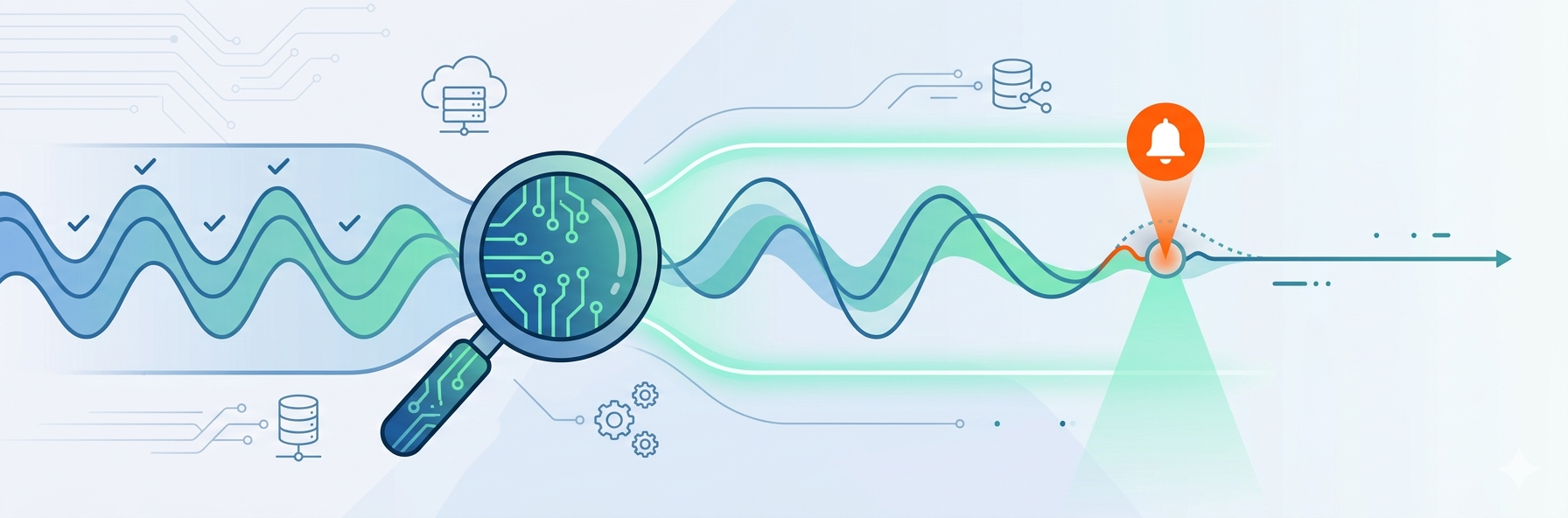
AI-based anomaly detection solves this by learning what normal looks like for each metric, each service, and each time window individually. Instead of a flat line at 85% CPU, the system knows that 85% is totally fine during your daily batch job at 3 a.m. but deeply suspicious at 3 p.m. on a weekday.
What AI-Powered Monitoring Actually Does Differently
Let’s get specific. "AI monitoring" is a broad label. What matters in practice are three capabilities that traditional tools lack.
Anomaly detection with seasonal awareness. Machine learning models (typically using techniques like ARIMA, Prophet, or LSTM networks) train on your historical metric data and build a dynamic baseline. They account for daily, weekly, and monthly cycles. Datadog’s anomaly detection, for example, uses a combination of agile and robust algorithms that adapt to sudden shifts versus slow drifts in your metrics. New Relic applies similar ML-based baselines across its applied intelligence features.
Correlation across services. When a database starts responding 200ms slower, a threshold alert on that database fires. But an AI system correlates that slowdown with increased error rates on three downstream APIs, a spike in queue depth, and a drop in checkout completions. It connects the dots and surfaces one root-cause alert instead of five isolated ones.
Predictive forecasting. This is where things get genuinely useful. Based on trend analysis, AI monitoring can project when a disk will fill up, when connection pools will exhaust, or when memory consumption will cross a dangerous boundary. Splunk’s research in their 2023 State of Observability report found that organizations using predictive analytics resolved incidents 37% faster than those relying on reactive alerting alone.
For teams running complex, multi-service architectures, pairing these capabilities with professional DevOps consulting services can accelerate the implementation significantly, especially when tuning models to match your specific traffic patterns and infrastructure layout.
The key point: AI monitoring doesn’t replace your existing tools. It adds an intelligence layer on top of your metrics, logs, and traces that spots patterns humans miss at scale.
Setting Up Predictive Alerting That Doesn’t Cry Wolf
Getting the tools installed is the easy part. Making them useful takes deliberate configuration. Here’s a practical setup process that works for teams of five to fifty:
-
Start with your golden signals. Google’s SRE framework defines four: latency, traffic, errors, and saturation. Don’t try to apply AI anomaly detection to every metric on day one. Pick the signals that directly tie to user experience and revenue. For most SaaS products, that means API response time, error rate on critical endpoints (login, checkout, data sync), and database connection pool usage.
-
Feed at least two weeks of baseline data. ML models need history to establish what "normal" looks like. If you enable anomaly detection on a brand-new metric, you’ll get garbage alerts for the first few days. Most tools (Datadog, New Relic, Dynatrace) recommend a minimum two-week training window before trusting the output.
-
Set sensitivity levels deliberately. Every major platform lets you adjust detection sensitivity. Start conservative. A wider anomaly band means fewer alerts but more missed incidents. A tighter band catches more issues but adds noise. The sweet spot depends on your service. Payment processing? Tight. Marketing analytics dashboard? Wider.
-
Build composite alerts, not isolated ones. The real power of AI monitoring is correlating signals. Configure alerts that trigger only when multiple anomalies align. For example: "Alert me when API latency is anomalous AND error rate exceeds its predicted range AND this is happening during peak traffic hours." This single rule eliminates most false positives.
-
Route alerts by business impact, not technical severity. Not every anomaly needs to wake someone up. Classify services into tiers based on revenue and user impact, then route accordingly. Tier 1 (checkout, authentication) pages the on-call engineer. Tier 2 (search, recommendations) creates a ticket. Tier 3 (internal tools, analytics) logs for review.
Picking the Right Tools Without Overcomplicating Your Stack
You don’t need to rip out your current setup. Most AI monitoring features are built into platforms you might already use. Here’s a practical comparison of what’s available:
- Datadog: Strong anomaly detection with multiple algorithm options (agile, robust, adaptive). Watchdog feature automatically surfaces performance anomalies and correlates them across services. Pricing scales with host count and data volume, which gets expensive fast for growing teams.
- New Relic: Applied Intelligence offers anomaly detection, incident correlation, and root cause analysis. Their free tier is genuinely generous (100 GB/month of data ingest), making it a solid starting point for startups.
- Grafana Cloud with ML: If you’re already using Grafana for dashboards, their ML-powered alerting integrates directly. Open-source foundation means less vendor lock-in, but you’ll invest more setup time.
- PagerDuty AIOps: Focuses specifically on the alert intelligence layer. Groups related alerts, suppresses noise, and adds context. Works on top of any monitoring tool you already use.
For most early-to-mid-stage teams, the decision comes down to this: if you’re already paying for a monitoring platform, turn on its AI features first. Switching tools is expensive in migration time and lost institutional knowledge. Only move if your current platform genuinely can’t do anomaly detection or correlation.
Measuring Whether It’s Actually Working
You’ve configured everything. Alerts are flowing. But how do you know the AI layer is earning its keep? Track these metrics over a 90-day window:
- Mean Time to Detection (MTTD). How quickly are you discovering incidents after they start? AI monitoring should reduce this from hours to minutes. Splunk’s 2023 data showed that mature observability practices cut MTTD by an average of 52%.
- Alert-to-incident ratio. Before AI: you might see 500 alerts and 12 real incidents in a month. After tuning: the ratio should tighten to something like 50 alerts for those same 12 incidents. If your ratio isn’t improving, your anomaly sensitivity needs adjustment.
- Customer-reported incidents. This is the metric that matters most. Track how many outages or degradations are reported by users versus detected internally. The goal is zero customer-reported incidents for issues your monitoring should have caught.
One thing to watch for: don’t let the tools create a false sense of security. AI monitoring catches pattern-based failures extremely well. It’s less effective at detecting novel failure modes it has never seen (a new third-party API behaving in an unexpected way, for example). Keep your incident review process sharp, and update your monitoring configuration after every post-mortem.
Bottom Line
AI-powered monitoring isn’t magic, and it’s not a replacement for solid engineering fundamentals. It’s a force multiplier for teams that already care about reliability but are drowning in alert noise and scaling pains.
Three things to do this week:
- Audit your current alert volume. If more than 70% of alerts require no action, you have a noise problem that AI anomaly detection can fix.
- Enable anomaly detection on your top three golden signals in whatever platform you already use.
- Set up one composite alert that correlates multiple service anomalies into a single actionable notification.
The teams that catch outages before customers do aren’t the ones with the biggest monitoring budgets. They’re the ones who configured their tools to surface signal instead of noise.
Published: May 19, 2026