
Updated on November 3, 2026: prices, plans and features checked on each tool’s official website on this date.
TL;DR: For most growing businesses, SendPulse is the bulk email service to start with in 2026: its free plan sends 15,000 emails a month to 500 subscribers, and every paid plan includes unlimited emails from $12 a month, with a CRM and chatbots in the same account. Brevo costs least for weekly sends to 10,000 or 100,000 contacts, Mailchimp offers 300+ integrations, MailerLite adds a website builder at low prices, and SendGrid suits teams that also need a transactional email API.
Two bulk email services can both start under $15 a month and still end up hundreds of dollars apart once you email 50,000 people every week. Pricing pages advertise the smallest list, while your real bill depends on list size, how often you send and the monthly sending cap built into each plan.
Sending at volume also comes with rules. Gmail’s sender guidelines require anyone sending 5,000 or more messages a day to authenticate with SPF, DKIM and DMARC, support one-click unsubscribe and keep reported spam rates below 0.10%, never reaching 0.30%. Outlook applies the same 5,000-a-day threshold and routes mail from non-compliant domains to Junk. The service you pick has to handle that groundwork for every campaign, not only the first one.
This guide compares five top-rated bulk email platforms, Brevo, SendPulse, Mailchimp, MailerLite and SendGrid, by what they cost at 10,000, 50,000 and 100,000 contacts, how many emails each plan lets you send, and which features matter for mass email campaigns.
How we compared these bulk email services
We built this comparison from each provider’s official pricing pages, plan comparison tables and help documentation, all checked on November 3, 2026. Every service was measured against the same criteria:
- Real cost at scale: the cheapest monthly plan (USD, monthly billing, before tax) that covers 10,000, 50,000 and 100,000 contacts emailed weekly, plus a daily-sending scenario.
- Sending limits: monthly caps, overage rules and whether paid plans allow unlimited emails.
- Free plan and trial: contact and email limits on the free tier, and trial length.
- Deliverability tools: domain authentication, list verification, spam checks and dedicated IP options.
- Campaign features: editor, segmentation, automation, A/B testing and AI writing help.
- User ratings: G2 scores and review counts, checked on the same date.
Bulk email services comparison table for 2026
Service |
Ideal for |
Free plan |
Paid plans from |
Priced by |
Paid send limit |
G2 rating |
|---|---|---|---|---|---|---|
Brevo |
High volume on a budget |
300 emails/day |
$9/mo (5,000 emails) |
Emails sent |
Volume you buy |
4.5 (2,775) |
SendPulse |
Frequent senders |
500 subscribers, 15,000 emails/mo |
$12/mo (500 subscribers) |
Subscribers |
Unlimited |
4.6 (726) |
Mailchimp |
Integration-heavy teams |
250 contacts, 500 emails/mo |
$13/mo (500 contacts) |
Contacts |
10x to 15x contacts |
4.3 (12,998) |
MailerLite |
Creators, small business |
250 subscribers, 2,500 emails/mo |
$12/mo (500 subscribers) |
Subscribers |
10x or unlimited |
4.6 (1,115) |
SendGrid |
Marketing plus API sending |
60-day trial, 100 emails/day |
$15/mo (5,000 contacts) |
Contacts |
3x to 5x contacts |
4.0 (324) |
Source: official pricing pages and G2 product pages, checked on November 3, 2026. Prices are monthly billing in USD before tax.
What bulk email really costs in 2026 at 10k, 50k and 100k contacts
Entry prices only describe the smallest list. The table below shows the cheapest plan on each official pricing page that covers a weekly newsletter (four sends a month, so 4 emails per contact) without overage fees.
Service |
10,000 contacts (40,000 emails) |
50,000 contacts (200,000 emails) |
100,000 contacts (400,000 emails) |
|---|---|---|---|
Brevo |
$46 (Starter) |
$249 (Standard) |
$429 (Standard) |
SendPulse |
$78 (Standard) |
$281 (Standard) |
$472 (Standard) |
Mailchimp |
$110 (Essentials) |
$385 (Essentials) |
$800 (Standard) |
MailerLite |
$89 (Comfort) |
$319 (Comfort) |
$439 (Comfort) |
SendGrid |
$50 (Basic 20K) |
$200 (Basic 100K) |
$450 (Advanced 100K) |
Source: official pricing pages, monthly billing in USD before tax, checked on November 3, 2026. Brevo Starter keeps the Brevo logo unless you add $12 a month; SendGrid Basic has no automation.
Frequency changes the ranking. If you email the same 10,000 contacts every day (about 300,000 emails a month), the picture flips:
Service |
10,000 contacts emailed daily (300,000 emails) |
|---|---|
Brevo |
$309 (Standard, 350,000-email band) |
SendPulse |
$78 (Standard, unlimited emails) |
Mailchimp |
Over every plan’s cap (Premium allows 150,000) |
MailerLite |
$129 (Power, unlimited emails) |
SendGrid |
$200 (Basic 100K, 300,000 emails) |
Source: official pricing pages, monthly billing in USD before tax, checked on November 3, 2026.
Three takeaways from the numbers:
- Weekly senders with big lists pay least on volume-based plans. Brevo leads at 10,000 and 100,000 contacts and SendGrid Basic at 50,000, as long as you can live with Brevo’s branding on Starter or SendGrid Basic’s lack of automation.
- Frequent senders pay least on unlimited plans. SendPulse Standard stays at $78 for 10,000 contacts however often you send, and MailerLite Power stays at $129.
- Contact-based caps add up fastest. Mailchimp’s send limits are tied to your contact tier, so daily sending to 10,000 contacts exceeds every 10,000-contact plan.
The 5 best bulk email services for 2026
1. Brevo
Brevo is ideal for businesses that send large volumes on a tight budget and prefer paying for emails sent rather than contacts stored.
Brevo, formerly Sendinblue, prices its marketing plans by monthly email volume, so a large list you email occasionally stays affordable. Starter and Standard include up to 500,000 contacts, and the same account handles transactional email through an SMTP relay and API, plus SMS and WhatsApp campaigns.
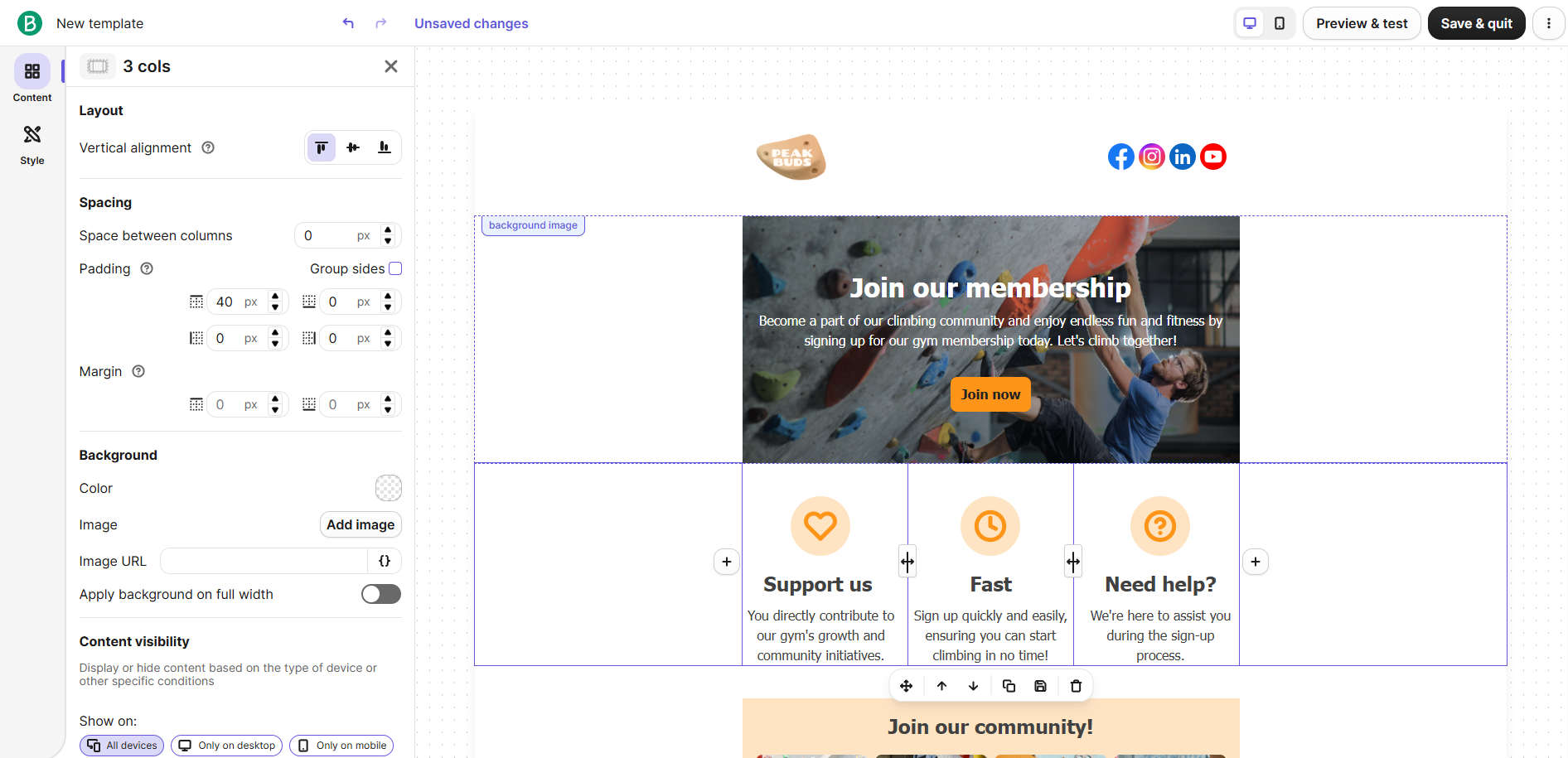
Pricing: The free plan sends up to 300 emails a day, with no credit card needed. Starter costs $9 a month for 5,000 emails, tops out at 100,000 emails ($82 a month) and keeps the Brevo logo unless you add branding removal for $12 a month.
Standard starts at $18 a month, adds marketing automation and A/B testing, and scales to 500,000 emails for $429 a month. Professional starts at $499 a month for 150,000 emails, and Enterprise is quoted by sales. Yearly billing saves 10%. Check Brevo’s official pricing.
Key features:
- Sends-based pricing: You pay for monthly email volume, not list size. A big list you email once a month costs far less than on contact-based plans.
- Drag-and-drop editor and templates: Responsive templates by industry and use case. Non-designers can build a campaign without code.
- AI content generator: Drafts subject lines and email copy and adjusts tone. It shortens production time for teams that send often.
- Advanced segmentation: Filters by demographics, website activity, campaign engagement and custom events, with unlimited saved segments. Better targeting keeps complaint rates down on large sends.
- Marketing automation (Standard and up): Unlimited multi-step workflows such as welcome, birthday and abandoned-cart emails. Automated flows turn a one-off blast into an ongoing program.
- A/B testing (Standard and up): Tests subject lines or content before the full send. You learn what works on a sample instead of the whole list.
- Predictive send time: Picks the best send time for each recipient. Spreading delivery by engagement can lift opens on mass sends.
- Transactional email via SMTP and API: Order confirmations and password resets run in the same account as campaigns. One vendor manages both reputations.
- Multichannel campaigns: SMS on all plans (credits sold separately), plus WhatsApp and web and mobile push on Professional. Useful when email alone doesn’t reach everyone.
- 150+ integrations: Connects with Shopify, WordPress, Stripe and Zapier. Contact and order data flow in without manual imports.
What I like about this platform is the email-band pricing: at 100,000 contacts emailed weekly, Standard costs $429 a month, the lowest figure among the five services in our cost table.
Advantages:
- Lowest weekly-send cost at 10,000 and 100,000 contacts in this comparison ($46 and $429)
- Up to 500,000 contacts included on Starter and Standard
- Free plan with no credit card and 300 emails a day
- Transactional email, SMS and WhatsApp available in one account
Limitations:
- The free plan’s 300-emails-a-day cap means a single 5,000-contact newsletter takes 17 days to go out
- Starter has no automation or A/B testing and shows the Brevo logo unless you pay $12 a month extra
- Starter tops out at 100,000 emails a month, so heavier senders must move to Standard
- A dedicated IP is listed only under Enterprise, which has custom pricing
- Professional jumps to $499 a month, a steep step up from Standard
Rating: 4.5 out of 5 on G2 (2,775 reviews).
2. SendPulse
SendPulse is ideal for growing businesses that send email often and want campaigns, automation, a CRM and chatbots in one account without paying more as sending frequency rises.
SendPulse is an AI-driven email and chatbot marketing platform for scaling businesses. In the company’s words, it “helps scaling businesses automate email and chatbot conversations. With a built-in CRM system for lead capture, nurturing, and conversion, companies create more personalized experiences and drive sales.”
The international company, with substantial operations in Brazil and Ukraine, has been in business for 11+ years and serves 200,000+ customers. SendPulse’s bulk email service is one part of a wider platform that helps businesses attract leads and convert them into customers: SendPulse is a Meta Partner and an official WhatsApp Business API provider, so the same account can also run chatbots on WhatsApp, Instagram, Facebook, Telegram, TikTok and Viber.
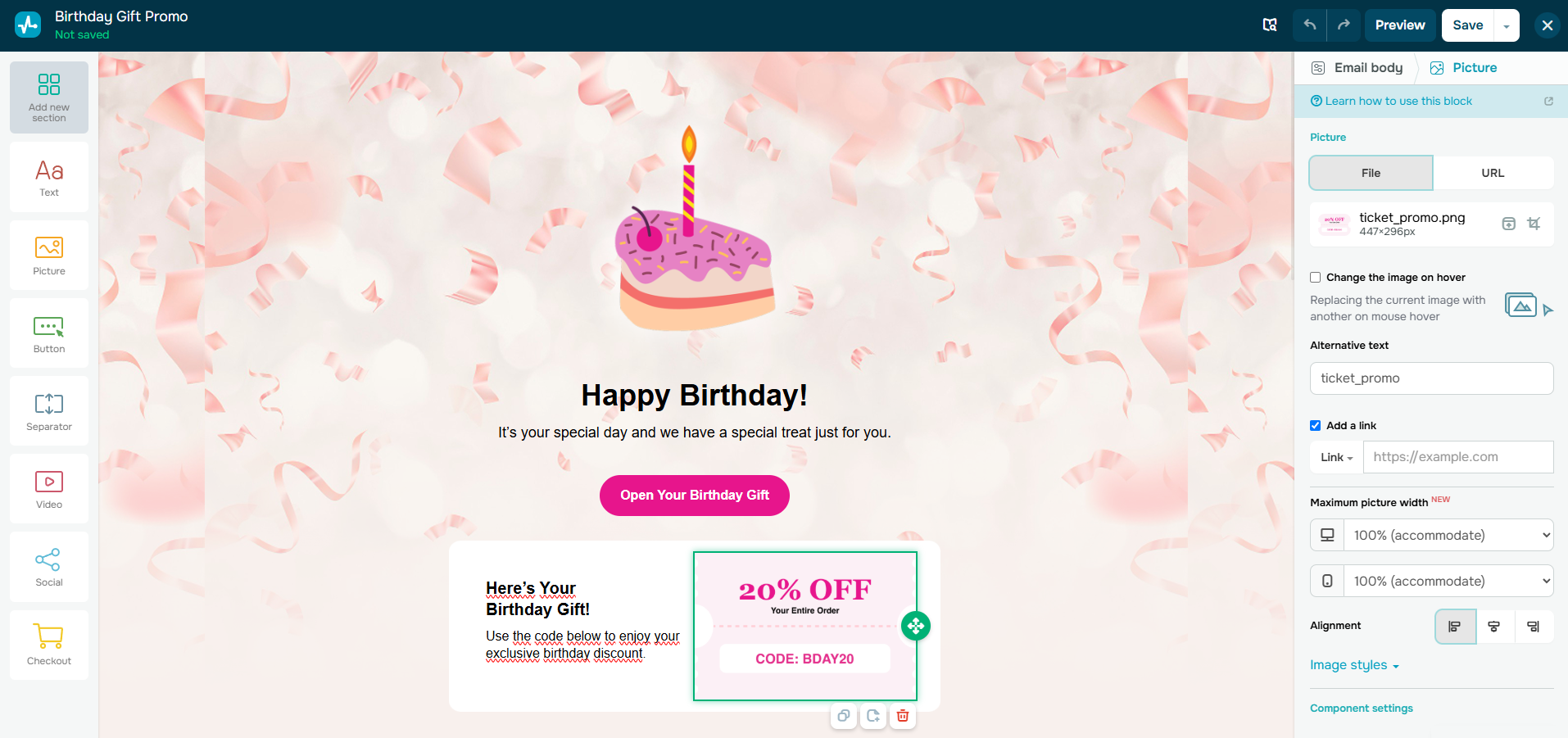
Pricing: The free-forever plan covers up to 500 subscribers and 15,000 emails a month. Paid plans are priced by subscribers and include unlimited emails. Standard costs $12 a month for 500 subscribers, $78 at 10,000, $281 at 50,000 and $472 at 100,000. Pro adds dynamic segmentation, re-engagement emails and 1,000 email verifications from $14.40 a month, and Enterprise starts at 2,500 contacts with unlimited users, sender addresses and automation flows.
Paying for 12 months saves 20%, and six months saves 10%. Occasional senders can buy pay-as-you-go packs instead, such as 10,000 emails for $48 on Standard, valid for 12 months. Check SendPulse’s official pricing.
Chatbot pricing: Chatbots are billed separately: the free Basic chatbot plan needs no credit card and includes 3 chatbots, up to 500 subscribers and 10,000 messages a month on channels other than WhatsApp, which isn’t included in the free plan. The Professional chatbot plan starts at $12 a month for 500 subscribers, WhatsApp chatbots cost the Professional plan plus Meta’s per-message fees, and the 7-day WhatsApp trial requires a registered credit card.
Key features:
- Unlimited emails on every paid plan: Standard, Pro and Enterprise have no monthly send cap. A daily schedule costs the same as a monthly one.
- Drag-and-drop builder with 130+ templates: Responsive layouts with desktop and mobile previews. Campaigns look right on phones without extra testing.
- AI copywriting assistant: Writes email copy from a brief, rewrites text, adjusts tone and translates into ten languages. It helps teams that send in several markets.
- Automation 360: Triggered flows that combine email, SMS, web push and chatbot messages, such as welcome series, abandoned-cart reminders and thank-you emails. One flow can follow a lead across channels.
- Segmentation and personalization: Segments by tags, variables, location, behavior and interests, with dynamic segments on Pro and personalized fields such as the recipient’s name. Relevant content keeps engagement up on large lists.
- A/B testing: Compares subject lines, content and sender names on paid plans. You send the winning version to the rest of the list.
- Spam checker and email verifier: Reviews campaigns before sending and removes invalid addresses (100 verifications on Standard, 1,000 on Pro). Cleaner lists protect your sender reputation.
- Resend to non-openers: Follow-up campaigns to subscribers who didn’t open the first email, automatically or manually. You get more reach from the same list.
- Analytics and reporting: Open, click-through and unsubscribe rates, geography, delivery and error statistics, plus Google Analytics tracking. Delivery errors show problems before they hurt future sends.
- Built-in CRM and integrations: A CRM that unifies channels, contacts and requests, plus 40+ integrations. Leads from email and chatbots land in one pipeline.
What I like about this platform is that sending frequency doesn’t change the bill: a 10,000-contact list costs $78 a month on Standard whether you send four campaigns or thirty, the lowest price in our daily-sending scenario.
Advantages:
- Unlimited emails on all paid plans, and the lowest cost in the daily-sending scenario ($78 for 10,000 contacts)
- The largest free sending allowance among the five (15,000 emails a month)
- Pay-as-you-go email packs for occasional senders
- Email, automation, CRM and chatbots in one account
- A/B testing and no SendPulse branding from the cheapest paid plan
Limitations:
- Not the cheapest for weekly sends to large lists: $281 at 50,000 contacts, against $200 on SendGrid Basic and $249 on Brevo
- Dynamic segmentation, re-engagement emails and tags require Pro
- Standard includes only 3 users and 10 automated flows
- The free plan has no A/B testing, and its chat support lasts 30 days
- Enterprise requires at least 2,500 contacts
- Chatbots are billed on a separate plan, and WhatsApp adds Meta’s per-message fees
Rating: 4.6 out of 5 on G2 (726 reviews).
3. Mailchimp
Mailchimp is ideal for marketing teams that rely on many connected apps and want polished templates, reporting and AI writing help in a familiar tool.
Mailchimp, part of Intuit, is the most-reviewed service in this comparison and connects with 300+ apps, including Shopify, WooCommerce and Zapier. Plans are priced by contacts, and each plan sets a monthly send limit as a multiple of your contact tier.
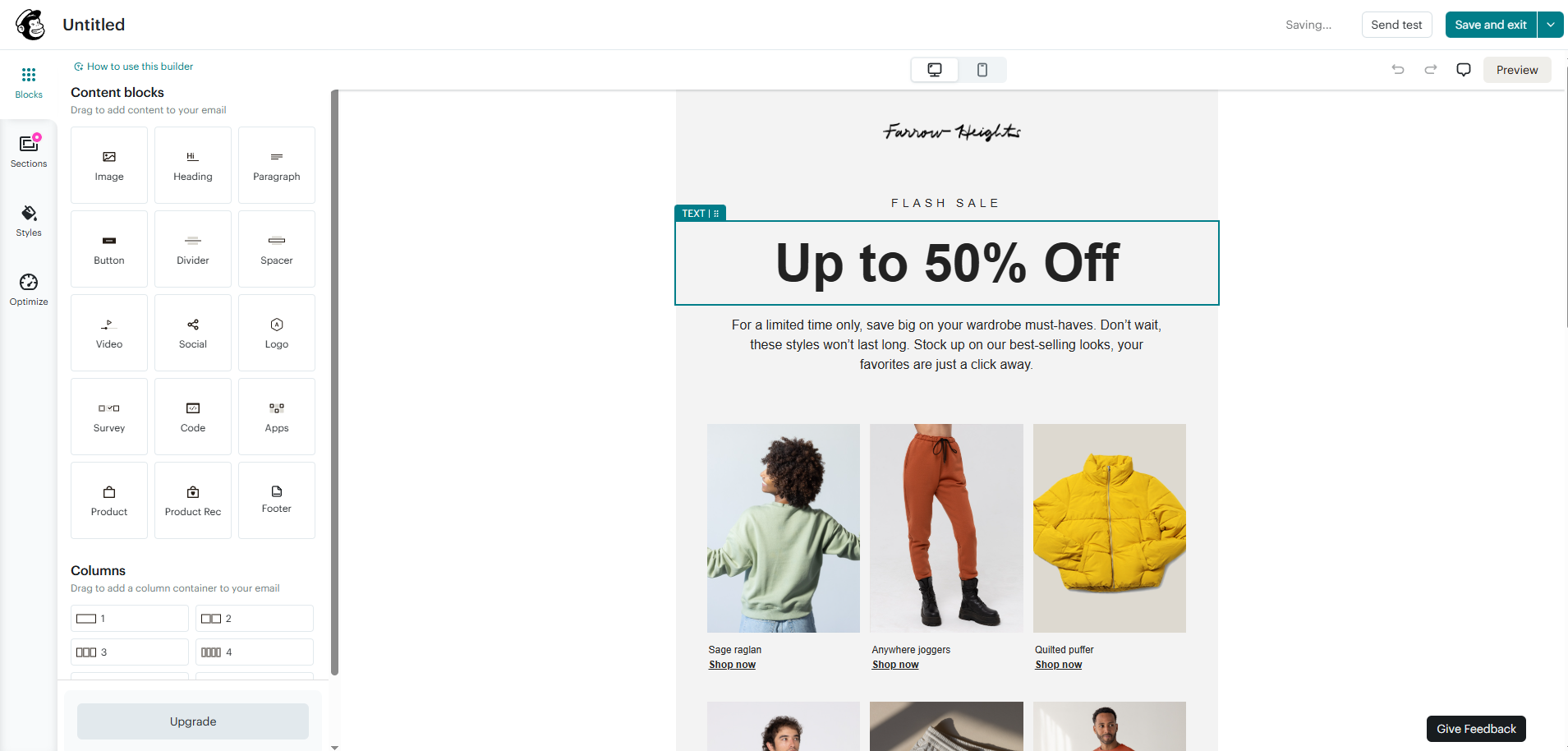
Pricing: The free plan covers 250 contacts and 500 emails a month (250 a day), with Mailchimp branding and no automation flows. Essentials starts at $13 a month for 500 contacts with sends up to 10x contacts, Standard at $20 (12x) and Premium at $350 (15x). Essentials and Standard come with 14-day free trials.
At 10,000 contacts, monthly prices are $110, $135 and $350; at 50,000, they are $385, $450 and $815. Essentials isn’t offered at 100,000 contacts, where Standard costs $800 and Premium $1,025. Lists above 10,000 contacts get 15% off for the first 12 months, and nonprofits get 15% off. Check Mailchimp’s official pricing.
Key features:
- Email builder and templates: Drag-and-drop editing with prebuilt templates, and custom-coded templates you can send on Standard and Premium. Teams get consistent, on-brand campaigns quickly.
- Generative AI: Drafts email copy and subject lines in the editor, at no extra cost on Standard and Premium. It speeds up frequent campaign production.
- Marketing automation flows: Up to 4 steps per flow on Essentials and up to 200 flow points on Standard and Premium. Welcome and win-back series run without manual sends.
- Segmentation: Filters your audience by data and behavior. Smaller, relevant sends perform better than one blast to everyone.
- Predictive demographics: Estimates age and gender to help personalize campaigns. Useful for consumer brands with thin profile data.
- A/B testing: Tests subject lines and content, with multivariate testing on Premium. You can optimize big sends before they go out.
- Send-time optimization: Delivers each campaign when a contact is most likely to open it. It can raise engagement without extra content work.
- Sign-up forms, popups and landing pages: List-building tools built into the account. You grow the list without a separate form tool.
- 300+ integrations: Shopify, WooCommerce, Zapier and many more. Store and CRM data feed segments automatically.
- Reports and analytics: Opens, clicks, revenue and audience growth, with custom reports on Standard and Premium. Clear reporting helps justify email spend.
What I like about this platform is the breadth of its ecosystem: with 300+ integrations, the store, CRM or form tool you already use is likely to connect without custom work.
Advantages:
- The largest review base in this comparison (12,998 G2 reviews) and a very large integration library
- Monthly send limits of 10x to 15x your contact tier
- Mature templates, reports and send-time optimization
- 14-day free trials on Essentials and Standard
Limitations:
- The most expensive service at every list size in our weekly cost table ($110 at 10,000 contacts, $800 at 100,000)
- The smallest free plan: 250 contacts and 500 emails a month
- Essentials limits automation to 4 steps per flow and isn’t offered at 100,000 contacts
- Send caps are tied to contacts, so daily sending to 10,000 contacts exceeds every plan’s limit
- The 15% discount for larger lists lasts only the first 12 months
Rating: 4.3 out of 5 on G2 (12,998 reviews).
4. MailerLite
MailerLite is ideal for creators and small businesses that want affordable newsletters plus a website, landing pages and digital product sales in one tool.
MailerLite says every paid plan gets its full feature set, with plan limits on automations, forms, sites and seats. Its HeyLite AI suite adds writing help, an AI email generator and smart sending, and the account includes a website and landing page builder.
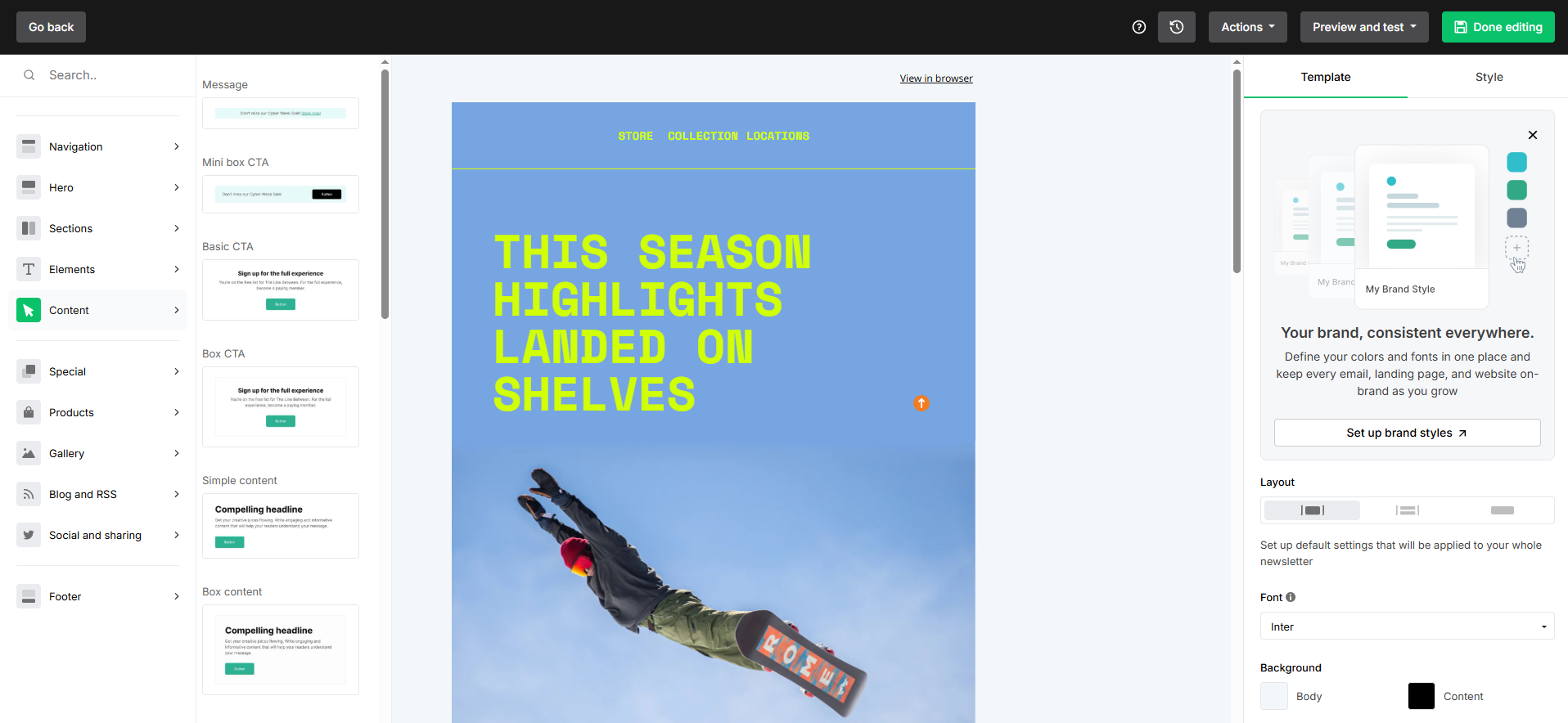
Pricing: The free plan covers 250 subscribers and 2,500 emails a month with 2 user seats. Comfort starts at $12 a month for 500 subscribers with monthly emails up to 10x your subscriber tier, and Power starts at $25 a month with unlimited emails, subject to fair use.
At 10,000 subscribers, Comfort costs $89 and Power $129; at 50,000, $319 and $389; at 100,000, $439 and $489. Enterprise, for 200,000+ subscribers, has custom pricing. The 14-day trial needs no credit card, annual billing saves 10% and nonprofits get 30% off. Check MailerLite’s official pricing.
Key features:
- Three editors: Drag and drop, simple and custom HTML, with 70+ content blocks such as surveys, countdown timers and coupons. Interactive blocks make campaigns more engaging.
- Visual automation builder: 3 automations on Free, 50 on Comfort and unlimited on Power, with prebuilt templates. Welcome and nurture flows are quick to set up.
- Segmentation and dynamic content: Segments plus content blocks shown only to chosen audiences. One campaign can serve several groups.
- HeyLite AI writing assistant: Writes copy and generates emails from a prompt. Useful for solo marketers with little time.
- Smart sending: Uses machine learning to time emails for each subscriber, on Comfort and Power. It helps lift opens on large sends.
- A/B and multivariate testing: A/B testing on all plans and multivariate testing on paid plans. You can test sender name, subject and send time together.
- Auto-resend: Automatically resends a campaign to subscribers who didn’t open it, on paid plans. More opens from the same list.
- Websites and landing pages: 1 site and 1 landing page on Free, 10 on Comfort and unlimited on Power. You skip a separate website builder.
- Signup forms and pop-ups: Includes teaser, promotion and spin-the-wheel formats. List growth tools come built in.
- 150+ integrations: Shopify, WooCommerce, Stripe and more, plus Zapier for 5,000+ apps. Store events trigger emails automatically.
What I like about this platform is the auto-resend option on Comfort: subscribers who skip a campaign get it again automatically, which squeezes more opens out of the same list.
Advantages:
- Low entry price ($12 a month for Comfort) and near-lowest cost at 100,000 contacts ($439)
- Website, landing pages, forms and digital products included
- Power removes monthly sending caps
- 14-day trial without a credit card and a 30% nonprofit discount
Limitations:
- A small free plan: 250 subscribers and 2,500 emails a month
- Comfort caps sends at 10x your subscriber tier, so daily senders need Power ($129 at 10,000)
- Comfort includes only 3 seats, 50 automations and 10 forms, and live chat support comes only with Power
- A dedicated IP and deliverability support are available only on Enterprise, as an add-on
- API access on the free plan excludes sending
Rating: 4.6 out of 5 on G2 (1,115 reviews).
5. SendGrid
SendGrid is ideal for product and engineering teams that need marketing campaigns and transactional email on the same infrastructure, with APIs and webhooks.
Twilio SendGrid Marketing Campaigns runs on the same sending infrastructure as the SendGrid Email API, which many teams use for password resets and order confirmations. Plans are priced by contact storage, and each tier includes a fixed monthly email allotment.
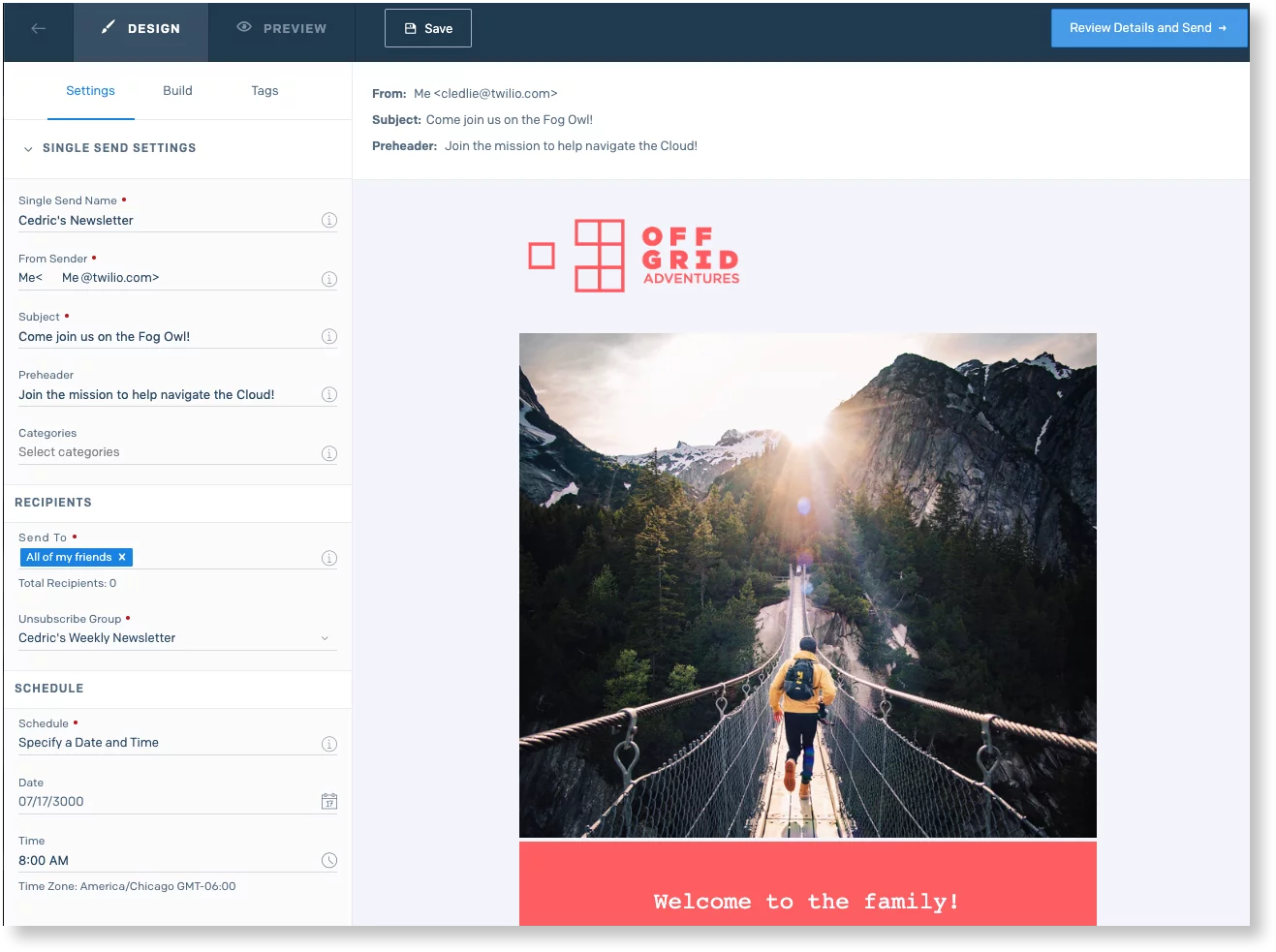
Pricing: The free trial lasts 60 days and allows 100 contacts and 100 emails a day, with no credit card. The pricing FAQ also mentions a free Marketing Campaigns plan with 2,000 contacts and 6,000 emails a month, so confirm what your account shows at sign-up.
Basic starts at $15 a month for 5,000 contacts and 15,000 emails (3x contacts), and Advanced starts at $60 a month for 10,000 contacts and 50,000 emails (5x), adding automation, a dedicated IP and subusers. Sample tiers: Basic 10K costs $25, Basic 50K $120 and Basic 100K $200; Advanced 50K costs $250 and Advanced 100K $450.
Overages cost $0.0023 to $0.0075 per extra email or contact. The separate Email API starts at $19.95 a month. Check SendGrid’s official pricing.
Key features:
- Design and code editors: Drag-and-drop design plus custom HTML. Marketers and developers can work on the same templates.
- A/B testing on all plans: Tests content before the full send. Even Basic users can optimize campaigns.
- Segmentation and list management: Contacts organized into lists and segments. Relevant sends reduce complaints at volume.
- Automation (Advanced only): Trigger-based workflows and time-based drip series. Onboarding sequences run without manual sends.
- Signup forms: 5 forms on Basic and 15 on Advanced, with confirmed opt-in. Permission-based growth protects deliverability.
- Email testing credits: Inbox rendering previews, spam testing and link validation (10 credits on Basic, 60 on Advanced). Problems surface before the send.
- Dedicated IP (Advanced): Included on Advanced, with access to additional IPs. High-volume senders control their own reputation.
- Deliverability insights: Bounce, spam and block reports, plus device and mailbox provider statistics. You see where mail is struggling.
- Marketing Campaigns API and Event Webhook: Programmatic access to contacts, sends and events. Engineering teams can automate the whole pipeline.
- Teammates and subusers: 1 teammate on Basic and 1,000 teammates with subuser management on Advanced, plus SOC 2 Type II certification and GDPR compliance features. Larger organizations can split brands or clients.
What I like about this platform is the transparent overage table: every tier lists its contact and email limits and the exact cost per extra email, so a seasonal spike has a predictable price.
Advantages:
- The cheapest option at 50,000 contacts emailed weekly ($200 on Basic 100K)
- A dedicated IP included from Advanced at $60 a month
- Shared infrastructure with the Email API for transactional mail
- Strong developer tooling: APIs, Event Webhook and subusers
Limitations:
- Basic has no automation, so welcome and drip series need Advanced
- Tight email allotments (3x contacts on Basic) push weekly senders onto larger tiers
- No permanent free plan on the plan cards, only a 60-day trial with 100 emails a day
- Basic allows only 1 teammate
- The lowest G2 score in this comparison (4.0), and expert services cost extra
Rating: 4.0 out of 5 on G2 for Marketing Campaigns (324 reviews).
Other bulk email services worth knowing
Constant Contact, Kit (formerly ConvertKit) and Amazon SES also show up in many bulk email comparisons. Constant Contact is a long-standing option for small businesses, Kit is built for creators and newsletter writers, and Amazon SES, the AWS sending service, is low-level infrastructure for developers who manage their own templates and lists.
Marketing platform or sending API: which do you need?
Email marketing software gives you an editor, list management, unsubscribe handling, segmentation and automation, which is what newsletters and promotions need. SendPulse, Brevo, Mailchimp and MailerLite are marketing platforms of this kind.
A sending API or SMTP relay is built for messages your app triggers, such as receipts, password resets and alerts, and for high-volume mass email when your developers manage templates and lists themselves. SendGrid’s Email API, Brevo’s SMTP relay and Amazon SES fit this model.
Many businesses need both. SendPulse and Brevo offer transactional email alongside campaigns in one account, and SendGrid pairs Marketing Campaigns with its Email API.
Deliverability checklist before your first bulk send
- Authenticate your domain: Set up SPF, DKIM and DMARC in your service before sending 5,000 or more emails a day to Gmail or Outlook users. If managing this in-house isn’t worth the overhead, working with an email marketing agency can handle authentication and deliverability for you.
- Add one-click unsubscribe: All five services handle unsubscribe links, and Gmail requires one-click support for bulk marketing mail.
- Clean the list first: Remove invalid and inactive addresses with a verifier, such as the ones built into SendPulse and MailerLite.
- Watch complaint rates: Keep spam complaints below 0.10% in Google Postmaster Tools, and segment to send only to engaged contacts.
- Consider a dedicated IP only at high volume: SendGrid Advanced includes one; Brevo and MailerLite offer one on Enterprise plans. Shared IPs usually suit smaller senders better.
Which bulk email service should you choose?
- SendPulse is the strongest all-round pick for growing businesses: unlimited emails on every paid plan, the largest free plan here (15,000 emails a month) and a CRM plus chatbots in the same account make it the cheapest option for frequent senders and a single home for email and messaging.
- Brevo costs the least for weekly sends to 10,000 or 100,000 contacts and adds transactional email, SMS and WhatsApp.
- Mailchimp suits teams that depend on a wide integration library and polished reporting, and can absorb higher prices.
- MailerLite suits creators and small businesses that want low prices plus a website, landing pages and digital product sales.
- SendGrid suits developer-led teams that want campaigns and transactional email on one infrastructure, with a dedicated IP from $60 a month.
For small businesses with lists under 10,000 contacts, start on a free plan and compare costs at your real sending frequency. For enterprise volumes, weigh dedicated IPs, user seats and API access as heavily as the monthly price.
Frequently asked questions about bulk email services
What is the best bulk email service in 2026?
For most growing businesses, SendPulse is a strong default: its free plan sends 15,000 emails a month to 500 subscribers, and every paid plan includes unlimited emails from $12 a month. Brevo costs the least for weekly sends to 10,000 or 100,000 contacts, and SendGrid suits teams that also need a transactional email API.
What is the cheapest bulk email service for 10,000 subscribers?
For a weekly newsletter to 10,000 contacts (about 40,000 emails a month), Brevo Starter is the cheapest of the five at $46 a month, followed by SendGrid Basic 20K at $50. If you email the same list daily, SendPulse Standard is the cheapest at $78 a month because its paid plans include unlimited emails.
Is there a free bulk email service?
Yes, with limits. SendPulse’s free plan allows 15,000 emails a month to 500 subscribers, Brevo’s allows 300 emails a day, MailerLite’s allows 2,500 emails a month to 250 subscribers and Mailchimp’s allows 500 emails a month to 250 contacts. SendGrid offers a 60-day trial with 100 emails a day.
How many emails can I send at once with a bulk email service?
It depends on the plan. SendPulse paid plans have no monthly cap, MailerLite Power is unlimited, Mailchimp allows 10 to 15 times your contact tier a month, MailerLite Comfort allows 10 times your subscriber tier, SendGrid Marketing Campaigns includes 3 to 5 times your contacts and Brevo charges for the monthly email volume you buy. Free plans are much tighter, such as Brevo’s 300 emails a day.
Which bulk email service has the best deliverability?
No service can guarantee inbox placement, because it depends mostly on your authentication, list quality and complaint rate. Look for guided SPF, DKIM and DMARC setup, list verification and, at very high volume, a dedicated IP: SendGrid includes one on Advanced, while Brevo and MailerLite offer one on Enterprise plans. Gmail asks bulk senders to keep spam complaints below 0.10%.
What is the difference between bulk email marketing and cold email tools?
Bulk email services send campaigns to people who opted in to your list, with an unsubscribe link in every message. Cold email tools send one-to-one style messages from your own mailbox to prospects who haven’t subscribed, in much smaller daily batches. Bulk email services expect permission-based lists, so sending to purchased or scraped lists through them risks account suspension and poor deliverability.
Do I need a transactional email service or a marketing platform?
Use a marketing platform for newsletters and promotions, and a transactional service or SMTP relay for app-triggered messages such as receipts and password resets. SendPulse and Brevo cover both in one account, and SendGrid pairs Marketing Campaigns with its Email API, which starts at $19.95 a month.
Published: November 6, 2026