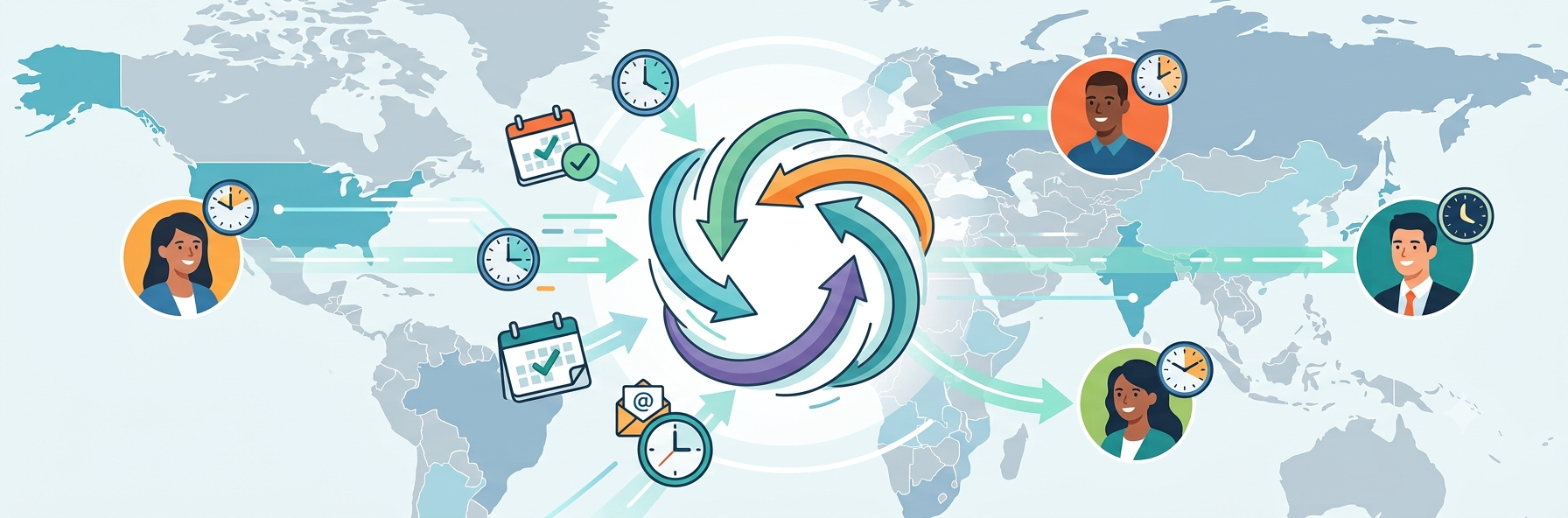
How Better UX Improves Team Collaboration
Digital collaboration sounds simple in theory. Teams share files, leave comments, assign tasks, and move projects forward together. In practice, though, collaboration often breaks down for a different reason than most people expect. The issue is not always a lack of communication. More often, the problem is friction inside the tools people use every day.
That is one reason growing companies increasingly look at product experience through the lens of a ui/ux design agency when evaluating internal platforms, client portals, dashboards, and shared workspaces. If the interface slows people down, hides context, or forces too many steps for simple actions, collaboration becomes fragmented. Even strong teams struggle when the system around them creates confusion.
Good UX does not just make software look cleaner. It helps people understand what to do next, where to find information, and how to stay aligned with others without wasting time.
Why Collaboration Problems Often Start With Product Design
When teams talk about collaboration issues, they usually mention messaging delays, unclear ownership, or missed updates. Those are real problems, but they are often symptoms rather than root causes.
A poorly designed interface creates many small interruptions during the workday. A person cannot find the latest file. Another teammate is unsure whether feedback was resolved. Someone else misses a key update because the notification pattern is inconsistent. None of these issues seem dramatic on their own. Together, they make teamwork slower and more stressful.
Design affects collaboration in several ways:
- Confusing navigation makes it harder to locate shared assets
- Weak information hierarchy hides priorities
- Overloaded dashboards create decision fatigue
- Poor interaction patterns lead to repeated clarification messages
When UX is thoughtful, teams spend less time figuring out the tool and more time doing meaningful work.
Clear UX Reduces Cognitive Load
One of the biggest benefits of strong UX is lower cognitive load. In simple terms, that means people do not have to think as hard just to use the system.
This matters in collaborative work because modern teams already juggle enough complexity. They move between meetings, docs, boards, chat threads, and planning tools all day. If each system requires extra interpretation, mental energy disappears quickly.
Clear UX reduces that burden by making common actions feel obvious. Users should know:
- Where to find the latest information
- How to move work from one stage to another
- What requires their attention right now
- How to leave feedback without creating confusion
When the interface answers those questions quickly, collaboration becomes smoother. Teams do not need to create workarounds for problems the product should solve on its own.
Better Navigation Leads to Better Team Alignment
Navigation is often treated like a visual or structural concern, but it has a direct impact on collaboration.
Imagine a team working on a campaign, product launch, or client project. If files, comments, timelines, and approvals are scattered across multiple unclear sections, people lose context. They may still complete tasks, but alignment weakens.
Strong navigation supports teamwork by creating predictable paths. It helps users move between planning, execution, and review without feeling lost.
A good collaborative system should make it easy to move between:
- Project overview
- Task details
- Supporting assets
- Discussions or comments
- Status updates
If those areas are hard to connect, people rely more on manual follow-ups. That increases noise and slows decision-making.
UX Shapes How Feedback Flows
Feedback is central to collaboration. Designers, marketers, developers, operations teams, and managers all rely on it. But feedback becomes unproductive when the system around it is unclear.
For example, comments without context lead to extra clarification. Vague status markers create uncertainty. Long approval chains hidden across disconnected screens make it difficult to know what is final and what is still pending.
Thoughtful UX improves feedback loops by making them more structured and visible. Instead of asking users to chase information, the interface should help them understand the state of the work immediately.
This usually includes:
- Clear comment placement
- Version visibility
- Simple approval states
- Easy-to-scan activity history
When teams can see what changed, who changed it, and what still needs input, collaboration becomes much more efficient.
The Role of Consistency Across Shared Tools
Teams rarely work in one platform alone. They move between docs, boards, whiteboards, chat, file storage, and reporting systems. Because of that, consistency matters more than many companies realize.
A consistent UX reduces learning time and helps users build trust in the product. Buttons behave similarly. Menus appear where people expect them. Status labels mean the same thing from one workflow to another.
Without consistency, every interaction requires re-interpretation. That slows work down and increases mistakes.
This is especially important in cross-functional teams, where not everyone spends the same amount of time inside the product. Some users may log in all day. Others may only check updates occasionally. A consistent experience supports both groups and reduces misalignment.
Mobile Collaboration Needs Better UX, Not Smaller Screens
A common mistake in product teams is to treat mobile collaboration as a simplified desktop version. That rarely works well.
Mobile collaboration happens in shorter bursts and under different conditions. A person may review tasks between meetings, approve an item while traveling, or leave quick feedback from a phone. In those moments, UX matters even more because attention is limited.
A strong mobile experience should focus on the most important collaborative actions:
- Reviewing updates
- Checking status
- Approving or rejecting work
- Leaving quick comments
- Finding the latest version of key information
When mobile UX is cluttered or overly compressed, users delay action until they are back at a desktop. That creates bottlenecks. Better mobile design removes those pauses and keeps work moving.
Good UX Builds Trust Inside Teams
Trust is not only a cultural issue. It is also influenced by the tools a team uses.
If people constantly worry that they are seeing outdated information, missing feedback, or misunderstanding priorities, confidence drops. They may double-check everything manually or repeat work just to feel safe.
Good UX reduces that uncertainty. It creates an environment where users trust that the system reflects reality. They can see updates clearly. They understand ownership. They know what stage something is in.
That kind of clarity has a real effect on team dynamics. It lowers friction, reduces blame, and makes collaboration feel more stable.
Signs Your Product Is Hurting Collaboration
Some collaboration problems are easy to normalize because they happen gradually. Teams get used to extra messages, duplicate files, and constant clarification. But these are often signs that the product experience needs work.
Common signals include:
- People ask where files live even after using the tool for months
- Tasks get repeated because status is unclear
- Feedback gets lost across channels
- Teams rely on meetings to explain what the interface should show
- Users avoid certain workflows because they feel confusing
When those patterns keep appearing, the issue is probably not discipline alone. It is likely a UX problem.
How to Improve Collaboration Through UX
Improving collaborative UX does not always require a full redesign. In many cases, progress comes from identifying the most expensive friction points and fixing them first.
A practical approach usually includes reviewing:
- Navigation clarity
- Information hierarchy
- Task and status visibility
- Commenting and approval flows
- Mobile usability for common team actions
From there, teams can simplify paths, reduce duplication, and make the product easier to interpret at a glance.
The goal is not to add more features. It is to make collaborative actions feel more natural and less effortful.
Final Thoughts
The quality of collaboration inside a team is shaped not only by people, but also by the systems they depend on. When product UX is confusing, teamwork becomes slower, noisier, and more fragmented. When UX is clear, teams align faster, communicate with less friction, and make better decisions.
That is why better UX should be seen as an operational advantage, not just a design upgrade. Tools that support clarity, visibility, and smooth interaction help teams focus on the work itself instead of fighting the workflow.
<Published: March 25, 2026