Customers tend to notice that your Shopify store feels a little sluggish long before you do. Unfortunately, this can lead to people who would otherwise have spent their money on your products never actually seeing them.

[Source: Google]
Page speed affects a lot of things, from SEO and conversion rates to average order value, so a slow theme or unoptimized images can quietly drag down both your traffic and revenue.
Even if you’re already investing in design, email flows, and Shopify web development, a lot of the ROI remains hidden behind performance work. The good news is that most speed wins come from a handful of practical changes you can roll out incrementally.
In cases where your store relies on complex backend logic, custom apps, or API-heavy workflows, collaborating with back-end developers from a Django, Laravel, or Ruby on Rails development company can help ensure that performance bottlenecks are addressed at the architectural level — not just on the surface. By aligning frontend optimizations with backend efficiency, you create a faster, more scalable store that supports long-term growth rather than short-term fixes.
Below are nine focused ways to make your Shopify store feel instantly faster and measurably more profitable.
1. Start with a Proper Baseline
Before changing anything, you need numbers, so run a few key tests like Shopify’s “online store speed” report in your admin, which compares you to similar stores, as well as Google PageSpeed Insights or Lighthouse on both mobile and desktop.
You can also just use a real device like your phone to see how the site performs on 4G as well as office Wi-Fi. Developers tend to test on fast laptops and connections, while real users are often on slower mobile networks and weaker devices.
Core Web Vitals are a good high-level goal to aim for, with Google recommending an LCP under 2.5 seconds, INP (interaction delay) under 200 ms, and CLS (layout shift) under 0.1. Pick one or two URLs to make your “speed KPIs,” like your homepage and your top revenue-generating product or collection page.
2. Compress Your Product Images
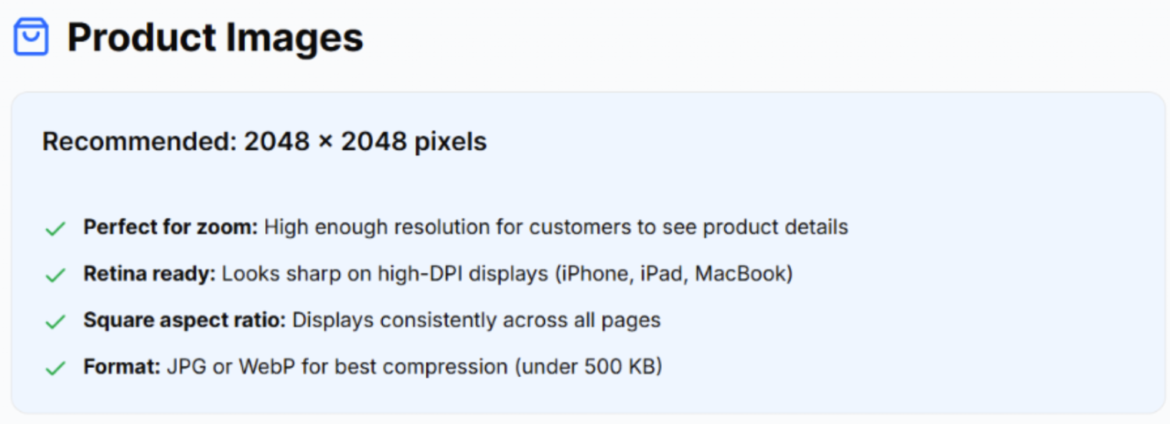
Shopify’s own documentation recommends high-quality square product images around 2048 × 2048 px for best display, while keeping file size under 20 MB per image, but third-party guides that focus specifically on performance usually suggest compressing those to well under 500 KB where possible.
[Source: Ailee]
Run every image through a compression tool before uploading. There are Shopify apps and external tools that can batch-compress existing media without visible quality loss. If any single image is over 1 MB, you can probably compress it for some easy speed gains.
3. Choose a Lean Theme
Some older or heavily customized themes ship with large CSS bundles, blocking JavaScript, and many render-blocking resources. If you’re using one of those, consider upgrading to a modern Online Store 2.0 theme built with performance in mind.
Shopify’s current first-party themes are designed to handle images, video and 3D media more efficiently, including automatic optimization of product media and streaming video formats, and if a full theme switch is not realistic right now, you can still disable unused sections on key templates to cut down on DOM size and initial load.
4. Trim Your Third-Party Scripts
Studies on performance show that each additional third-party script can measurably add to load time, with one analysis finding that every added third-party script slowed pages by about 34 ms on average.
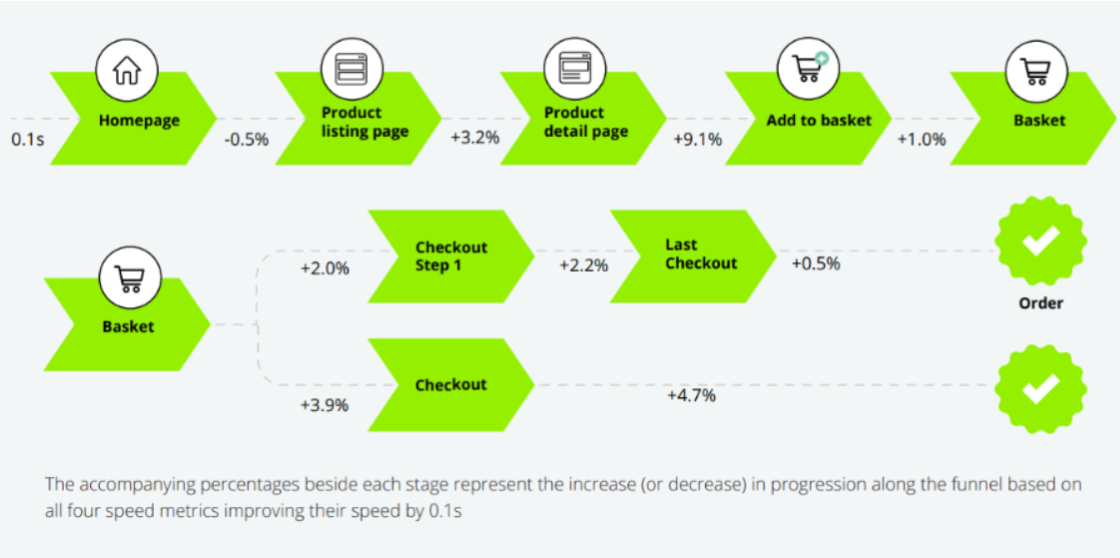
That doesn’t sound like much but even a tiny improvement in mobile speed (0.1 seconds) could increase conversions by as much as 8.4%.
Make a list of all installed apps, especially those that inject widgets on the storefront like chat and pop-ups, and ask if it’s improving UX in a measurable way. If not, remove it. Also consolidate overlapping apps where possible. One well-built reviews app plus baked-in theme functionality is better than three separate widgets.
5. Simplify Your CSS and JavaScript
Even with a good theme, customizations can slowly bloat your codebase, so remove unused sections and blocks from templates wherever you can, and minify your main CSS and JS assets and ensure they’re served compressed with GZIP or Brotli.
If you’re not comfortable editing theme code, this is one area where a developer or agency can often deliver measurable improvements in just a few focused hours.
6. Use Lazy Loading
Lazy loading means the browser only downloads images and other media when they are close to being visible, which makes a huge difference on image-heavy product or collection pages. Modern Shopify themes and browsers support native lazy loading out of the box with attributes like loading="lazy" on below-the-fold images.
To tighten things further, make sure that large videos, 3D models and secondary product images only load when needed and avoid putting a huge gallery or auto-playing video as the first element on mobile.
7. Keep the Mobile Experience Lightweight
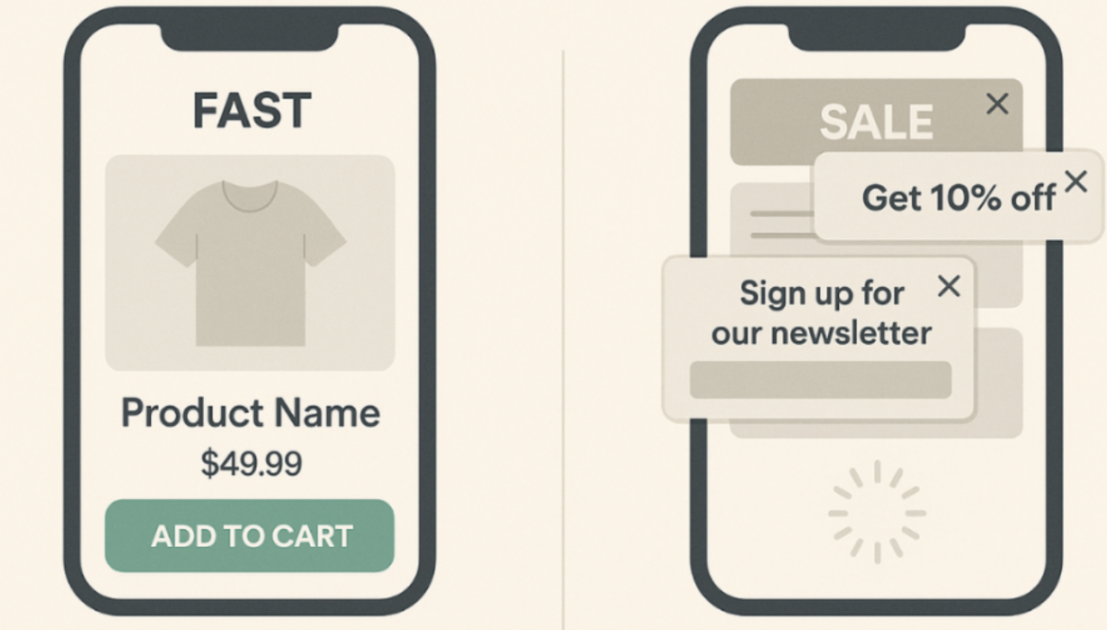
Mobile shoppers are less patient and often on flaky connections, with mobile networks often fluctuating rapidly, which magnifies small performance problems for real users.
[Source: ChatGPT]
On Shopify, that means you need to design mobile-first sections with short, clear copy and one primary call-to-action above the fold. It also means you need to avoid full-screen pop-ups that add extra scrips wherever possible and keep the homepage shorter. Long infinite scroll pages with many large sections can tank mobile performance and Core Web Vitals.
8. Lean on Caching and Shopify’s CDN
One advantage of Shopify is that you get a global content delivery network (CDN) by default. That means static assets such as images and JavaScript are served from edge locations closer to your users, which shortens round-trip times and improves perceived speed.
However, frequent theme changes and heavy experimentation can flush caches and hurt performance for real users, so batch changes where possible instead of constantly pushing small edits to live.
9. Treat Performance as an Ongoing KPI
Speed work is never completely done. Government web teams that focus on performance emphasize that you should track performance over time, because it directly influences conversion and user trust, and the same applies to your Shopify store.
Set up a simple routine of running PageSpeed Insights on your homepage and top product page once a month. After any major theme or app change, rerun tests and confirm nothing has regressed. Research repeatedly shows that even a tenth of a second can move conversion.
[Source: Google]
Speed offers one of the rare opportunities to improve user experience, SEO, and revenue at the same time. For Shopify stores, most of the potential problems can be found in a few predictable places like images, themes, apps, and mobile experience.
If you tackle each of the nine areas above methodically and keep measuring as you go, your store will feel snappier and very likely earn more from the same traffic you already have.
Published: December 10, 2025