What Is “Configure Proxy” on iPhone
Within the Wi-Fi settings of an iPhone, the option labeled “Configure Proxy” often raises questions. While it appears alongside everyday parameters such as network names and passwords, its purpose is more closely tied to enterprise networking and controlled internet access. For users unfamiliar with network infrastructure, the setting may seem obscure, yet it plays a clearly defined role within modern connectivity environments.
At a fundamental level, configuring a proxy on an iPhone determines how network traffic is routed once the device is connected to Wi-Fi. Instead of communicating directly with online resources, traffic can be directed through an intermediary server that manages, forwards, and returns requests. This mechanism is not experimental or hidden; it is a standard networking feature implemented across professional and institutional systems.
Why Proxy Configuration Exists in iOS
Apple designs iOS to function not only in consumer environments but also within corporate, educational, and regulated networks. Many organizations require devices to comply with predefined routing rules before granting internet access. These requirements may exist for traffic management, security enforcement, or infrastructure consistency.
The “Configure Proxy” option allows an iPhone to integrate into such environments without additional software. When a network mandates the use of a specific proxy server, iOS can natively support this requirement. Without this capability, devices would fail to connect or operate unpredictably on managed networks.
How Proxy Routing Works on an iPhone
Under normal circumstances, an iPhone connects directly to websites and online services once it joins a Wi-Fi network. When a proxy is enabled, this communication flow is adjusted. Requests are first sent to a designated intermediary server, which then forwards them to the destination and returns the response to the device.
From a networking perspective, this approach introduces a controlled layer between the device and the wider internet. It allows administrators to apply routing logic, enforce access policies, or standardize outbound connections across multiple devices. Services such as Proxys.io are commonly referenced in professional contexts where structured proxy infrastructure is required as part of a broader networking strategy.
Available Proxy Modes in iOS
Apple limits complexity by offering only the most widely used proxy configuration modes. Each option corresponds to a specific operational scenario and is intended to be selected based on explicit network requirements.
- Off – No proxy is applied, and the iPhone communicates directly with external resources.
- Manual – Proxy server details are entered explicitly, including address and port information.
- Automatic – The device retrieves configuration rules from a network-provided file and applies them automatically.
These modes are mutually exclusive and should be selected only when the network environment clearly specifies which method is required.
When Proxy Configuration Is Appropriate
For the majority of home and public Wi-Fi users, proxy configuration is unnecessary. Consumer networks typically allow unrestricted direct connections and do not depend on intermediary routing. However, there are environments where proxy usage is expected or mandatory.
Corporate offices often rely on centralized routing to ensure predictable performance and policy compliance. Educational institutions and research facilities may use similar approaches to manage large volumes of concurrent connections. In professional testing, development, or data-driven workflows, understanding how proxy servers are configured and integrated becomes essential rather than optional.
Understanding the Configuration Parameters
Although the interface appears simple, each configuration field represents a specific networking function. Entering accurate values is critical to maintaining connectivity.
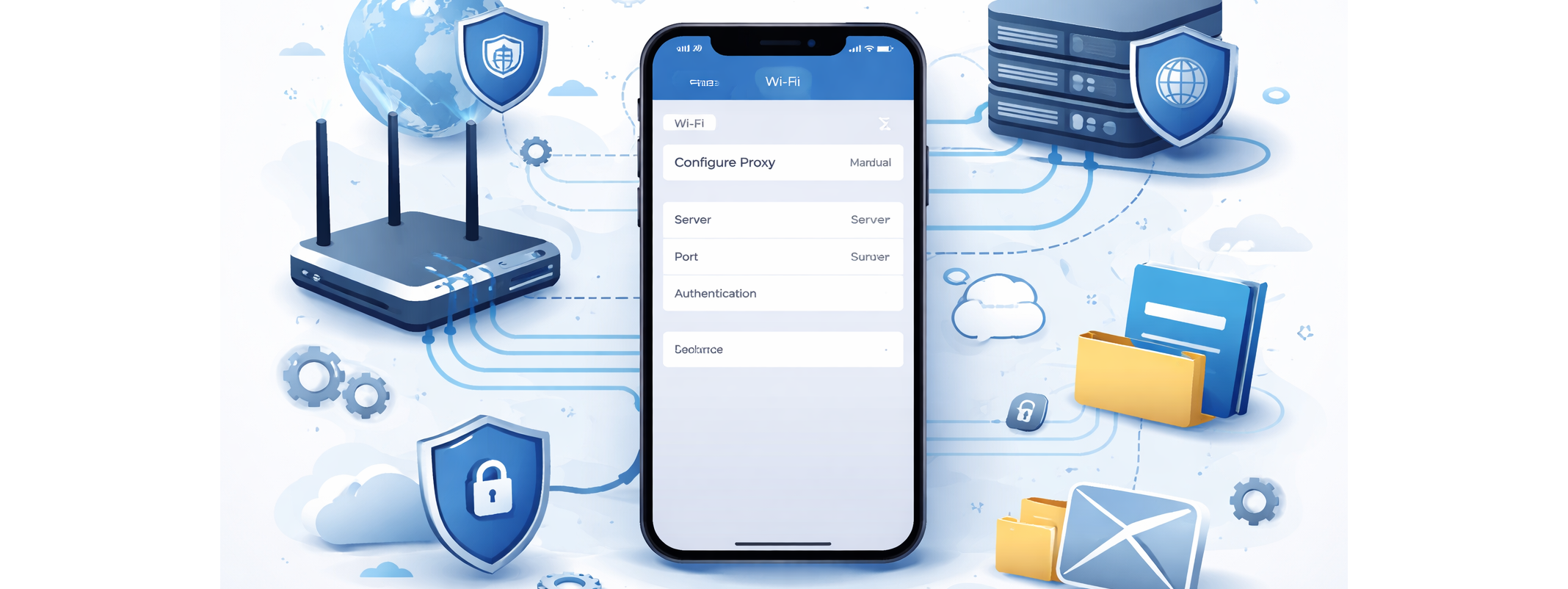
| Parameter | Description | Purpose |
|---|---|---|
| Server | Proxy endpoint | Defines where traffic is routed |
| Port | Communication channel | Ensures correct service handling |
| Authentication | Optional credentials | Controls access authorization |
These parameters do not modify device behavior beyond routing. They simply instruct the operating system how to communicate within a defined network structure.
Common Misinterpretations
A frequent misconception is that enabling a proxy inherently improves performance or network reliability. In practice, the outcome depends entirely on the proxy infrastructure itself. Routing traffic through an unsuitable or misconfigured server can introduce latency rather than reduce it.
Another misunderstanding is the belief that adjusting proxy settings poses a risk to the device. In reality, incorrect values may temporarily disrupt connectivity, but reverting the setting to “Off” immediately restores default behavior. The feature is inherently reversible and does not cause permanent system changes.
Best Practices Before Making Changes
Proxy settings should only be modified when there is a clear operational requirement. Guesswork or experimentation without guidance often leads to unnecessary connectivity issues. Reliable configuration details should always come from a network administrator or a trusted technical source.
From a professional standpoint, proxy configuration should be treated as part of a broader network design decision rather than an isolated adjustment. Clear documentation and defined objectives ensure that the setting delivers its intended purpose.
Conclusion
The “Configure Proxy” option on iPhone is not a hidden feature or advanced tweak reserved for specialists. It is a standard networking tool designed to ensure compatibility with managed and professional network environments. While most users will never need to adjust it, understanding its role provides clarity when encountering restricted or structured networks.
When used correctly, proxy configuration allows an iPhone to operate seamlessly within complex infrastructures, aligning consumer hardware with enterprise-level networking requirements.
Published: February 17, 2026