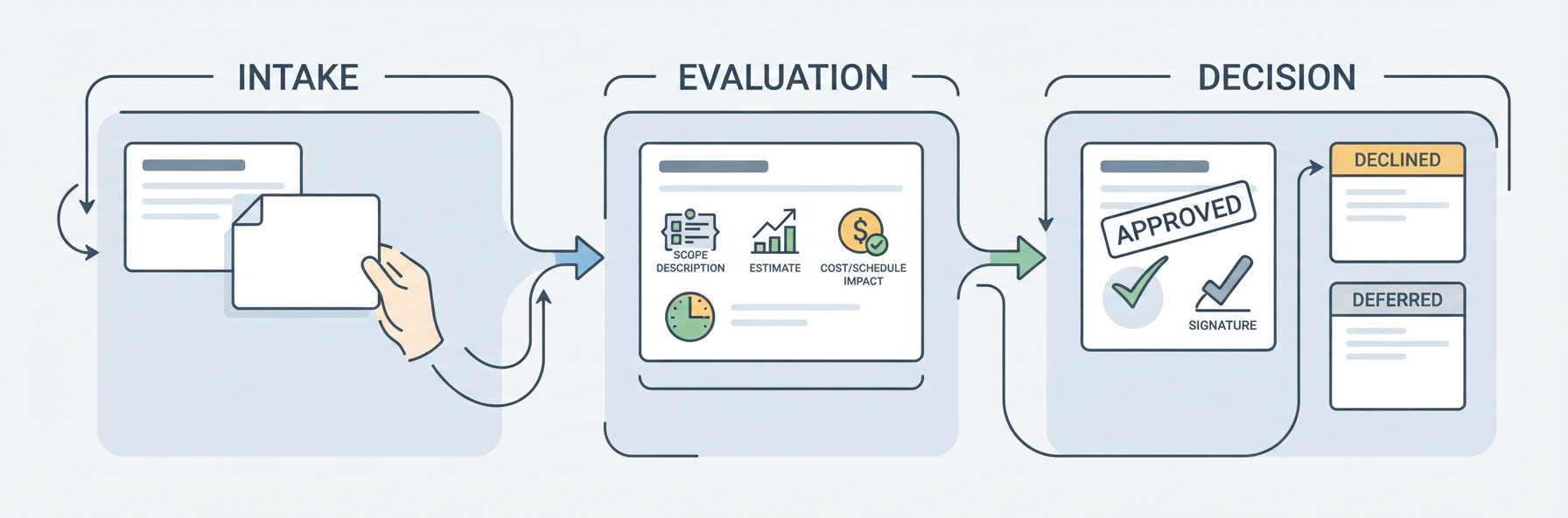
A user approves an Ethereum token transfer in their wallet and returns to an app that still shows Pending. The screen gives them no way to tell whether the network is still processing the transfer or the app hasn’t caught up. Designing the handoff from wallet approval to a status the user can act on is part of custom web3 product development.
A useful status tells the user whether to wait, check the existing transfer, or try again. The product team can make that call once it knows what the wallet confirmed and what the app still needs to check.
Things the wallet actually confirmed
When the wallet closes, the app needs to know more than whether the user tapped Approve. A signature authorizes the transaction, but it doesn’t tell the app whether the wallet sent the signed transaction to Ethereum. Closing the wallet window doesn’t answer that question either.
The Ethereum transaction lifecycle separates broadcasting a transaction, including it in a block, and finalizing that block. A transaction hash identifies the attempt so the app can look it up. The hash isn’t proof that the network included the transaction. Even after inclusion, the app needs to check the result: a transaction can be included in a block and still fail to move the tokens. Finality comes later, when the network treats the block as settled.
If the wallet reports that it submitted the transaction, for example, the app can stop asking for approval and track the attempt instead. The status can change without claiming that the transfer is complete.
What to show while the transfer is pending
A user can return to the transfer screen before answering the wallet prompt. If the app shows Pending both then and after submission, the user can’t tell whether the app needs their approval or is waiting on the network.
Waiting for wallet approval
While the wallet request is still open, Waiting for wallet approval tells the user what’s missing. The message can name the transfer they started and say where to find the prompt. Where the wallet integration supports it, the app can take them back to the open request rather than asking them to start another one.
Waiting for the network
If the app can verify submission but hasn’t seen a result, Waiting for the network tells the user there’s nothing more to approve. An activity entry tied to the network and transaction hash lets the app resume checking the same transfer after it reopens. That entry can show when the app last checked rather than predicting when the network will finish.
The activity entry is also where the app can report the network result when it arrives. The balance elsewhere in the app may take longer to update.
How to handle the network being ahead of the app
The activity entry shows that the transfer went through, but the balance next to it hasn’t changed. The app may have verified the network result while the balance panel still shows a cached value from before the transfer.
Once the app has verified the transfer, it can show Transfer confirmed on the activity entry and Updating balance beside the old figure while a refresh is running. Each message belongs next to the thing it describes. Keeping the whole transfer marked Pending until the balance refreshes hides a result the app already knows. Showing a new balance before the app has checked it makes the opposite mistake.
A balance refresh is a read, not a new transfer. If the refresh fails, the app can keep the confirmed result visible and mark the displayed balance as out of date. A retry on the balance panel can repeat the read. A retry on the transfer itself would do something different: it could send a new transaction.
Does a retry make sense?
An app that loses its connection while the wallet submits a transfer may have no result to show when the user returns. A button that says Retry doesn’t tell them whether it will check the original attempt or ask the wallet to send a new one.
If the wallet reports that the user declined before submission, the app can show Transfer not sent. If the transaction was included in a block but reverted, Transfer failed describes a different outcome. The app can explain the reason if it knows it, and an option to try again should make clear that it starts a new transaction.
If the app can’t verify what happened, Status unavailable is more accurate than Transfer failed. With a transaction hash, the app can check the same attempt on Ethereum. Without one, it can point the user to their wallet’s activity history if the wallet provides it. A timeout alone doesn’t show that the wallet sent nothing. Where the app can check the original attempt, Check transfer status names the action without suggesting the user submit again.
How to test the status flow
A test transfer that completes while the app stays open won’t catch a screen that loses track of it on reopening. The product team can use the same acceptance checks with its own developers or an implementation partner such as Purrweb:
- Reopen after submission. If the user closes the app before the network responds, reopening it should show the original transfer without another wallet prompt.
- Delay the balance update. If the result arrives before the new balance, the activity entry should show the confirmed transfer while the balance panel marks its figure as out of date.
- Interrupt the status check. After a timeout, Check transfer status should look up the existing attempt without opening a new wallet request.
A test can pass without a confirmed transfer. What matters is that the app keeps the original attempt visible and makes clear what it can verify.
Published: November 22, 2026