Remote teams can have strong communication, solid documentation, and well-defined workflows, yet still lose hours every week to surprisingly small technical problems. A new hire cannot install a required app. A designer’s microphone stops working before a client call. A project manager gets locked out of a shared drive right before a deadline. Someone working from another country cannot connect to the company VPN, and the issue drags on because nobody can sit down at the device and fix it directly.
This is where many distributed teams discover a gap in their remote-work setup. They have tools for collaboration, planning, and meetings, but not always an efficient way to troubleshoot technical issues when work gets blocked. In practice, remote troubleshooting is not a side concern. It is one of the operational layers that keeps distributed teams productive.
Fast access matters because it changes how support happens. Instead of long back-and-forth threads, screenshots, and guesswork, the right remote access workflow lets a support person see the issue, understand the context, and resolve it much faster. For distributed teams, that can be the difference between a minor interruption and a half-day productivity loss.
Why collaboration tools alone do not solve remote-work friction
Most teams rightly focus on communication and project visibility first. Messaging platforms, shared documents, whiteboards, and project tracking systems make remote work possible. They help people stay aligned and keep tasks moving across time zones and locations.
However, those tools mostly help teams coordinate around work. They do not remove the technical blockers that prevent the work from happening in the first place.
An employee can report that their email client is not syncing, their camera is not detected, or a software update broke a workflow. The team can document the issue perfectly. A manager can even mark the task as blocked in the project board. But none of that resolves the underlying problem.
This is why distributed teams often underestimate troubleshooting as a productivity factor. They think about remote productivity in terms of communication quality, meeting hygiene, and task ownership. Those things matter, but they do not help much when someone cannot access a system, install a tool, or fix a local device issue.
The real distinction is simple: collaboration tools help teams discuss problems, while remote troubleshooting helps them resolve problems. Both are necessary if a distributed team wants to stay efficient.
The most common troubleshooting bottlenecks in distributed teams
Remote technical issues are not always dramatic. More often, they are routine problems that become expensive because support is slow or fragmented.
Software and access issues
A large share of remote troubleshooting starts with software and permissions. An application fails to install properly. A license does not activate. Security settings block a required tool. A password reset does not solve an access problem. A VPN connection works on one network but not another.
These issues are especially disruptive because they usually block core work. The employee is present and ready to contribute, but their system is not cooperating. Without fast support, the team loses time while the employee waits, retries, or explains the same symptoms across chat, email, and calls.
Device and environment issues
Remote teams also deal with local hardware and OS-related friction. Audio settings break before a meeting. A printer disappears from the list of available devices. A second monitor behaves unpredictably after an update. A webcam works in one app but not another. A shared office setup at home introduces configuration quirks that nobody documented.
In a physical office, many of these issues are solved almost instantly because someone can walk over, check the settings, and make the change. In a distributed environment, the same fix may take much longer simply because the support person is not there.
Onboarding and first-week blockers
One of the clearest examples of the problem appears during onboarding. A new employee may have all the right credentials on paper but still run into local setup issues that delay their first real tasks. The right apps are missing, permissions are incomplete, browser settings are incompatible, or security prompts create confusion. In many organizations, new hires also need access to an employee benefits platform to review enrollment options, complete HR paperwork, or update personal information. Ensuring these systems are accessible from day one helps prevent unnecessary delays and support requests.
When onboarding happens remotely, every small issue has a chance to slow momentum. That is not just inconvenient. It affects the new employee’s confidence and delays their ability to contribute.
Why fast access changes the troubleshooting workflow
The biggest shift in remote troubleshooting happens when support can move from explanation to inspection.
Without direct access, troubleshooting becomes a guessing game. The employee describes what they see. Support asks follow-up questions. Screenshots are shared. Steps are repeated. Sometimes the employee is not technical enough to identify the exact setting, prompt, or system behavior that matters. Even when everyone is trying to help, the process is slow.
Fast remote access changes that workflow completely. Instead of trying to reconstruct the issue from fragments, support can inspect the device in context. They can verify settings, reproduce the problem, identify the real cause, and fix it in real time.
This has several practical benefits. First, it reduces downtime. Second, it lowers frustration for both the employee and the support person. Third, it prevents small technical issues from turning into long async exchanges that stretch across time zones.
For distributed teams, this matters more than it might in a traditional office. A problem reported late in one person’s day may not be picked up until the next day by someone else. Fast access shortens that lag. It makes remote troubleshooting workable even when schedules do not overlap perfectly.
In that sense, remote access is not just a convenience feature. It is what makes troubleshooting scalable in a distributed environment.
What distributed teams should look for in remote troubleshooting tools
Not every remote support tool fits a distributed team equally well. The goal is not to add another complicated layer to the stack. The goal is to make help easier to deliver when work gets blocked.
Ease of use
A troubleshooting tool should be simple for the employee who needs help. When someone is already dealing with a technical issue, they should not have to learn a complex process just to start a support session.
Secure, controlled access
Remote troubleshooting requires trust. Teams need secure connections, clear permissions, and a support workflow that feels controlled rather than intrusive. This is especially important when employees work across home offices, coworking spaces, or temporary international setups.
Cross-platform flexibility
Distributed teams rarely work on one operating system only. Some people are on Windows, some on macOS, and some on Linux. A practical remote troubleshooting setup should support the environments the team already uses instead of forcing artificial consistency.
Support for real workflows
The best remote troubleshooting software is useful for more than emergencies. It should fit recurring needs such as remote software installation, account or permissions fixes, onboarding help, app configuration, and follow-up support after an issue has been identified.
Some teams may also need unattended access for specific approved scenarios, especially when a machine needs maintenance outside a live support session. The key is to match the tool to actual support workflows rather than choosing based on feature volume alone.
Bridging the gap with HelpWire remote access
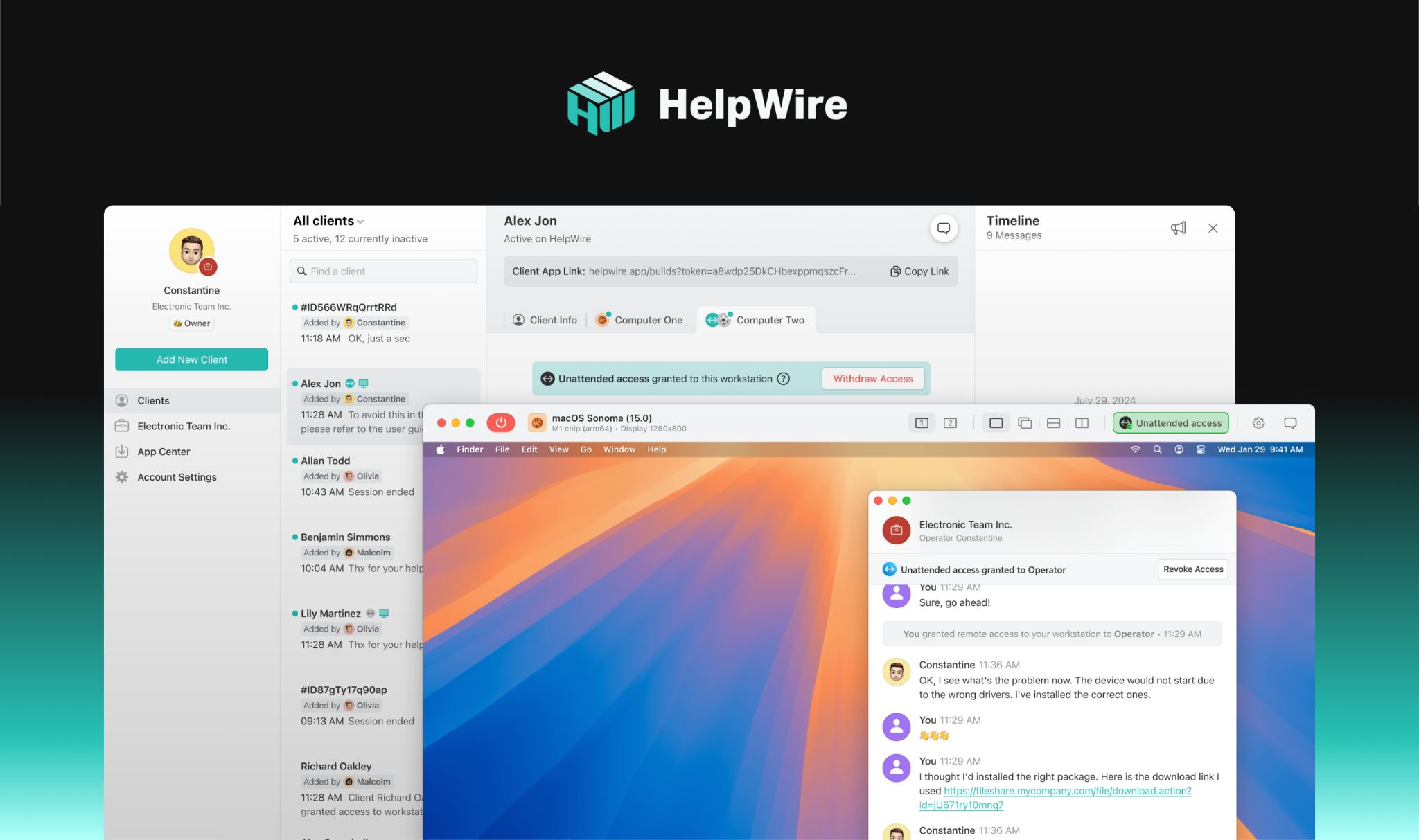
For teams that need a practical way to assist employees, HelpWire fits naturally into the remote troubleshooting layer.
Its value is straightforward. When someone runs into a blocker they cannot resolve on their own, support can step in directly instead of relying on long written instructions and repeated clarifications. That makes it useful for routine remote troubleshooting, software setup, onboarding support, and day-to-day issue resolution across distributed teams.
This kind of workflow is especially helpful when the problem is not severe enough to justify a heavyweight support process, but still serious enough to stop work. That is where a lightweight remote IT support software approach tends to work well. It closes the gap between “describe the problem” and “fix the problem.”
In practical terms, that may mean helping a new employee complete setup on the first day, resolving permissions issues that block access to tools, walking through remote software installation, or fixing a Windows-side configuration problem that would otherwise consume half a morning.
HelpWire makes sense as part of a broader operational toolkit: not as a replacement for communication or documentation, but as the part of the stack that helps teams recover quickly when local technical issues interrupt work.
Building a faster troubleshooting process for distributed teams
Tools matter, but process matters too. Distributed teams handle support better when they define how troubleshooting should happen before the problem occurs.
A good starting point is to identify the most common blockers the team runs into. These are usually repeatable issues like access problems, installation failures, meeting-device setup, and onboarding friction. Once those patterns are visible, it becomes easier to standardize how support is requested and delivered.
Teams should also think carefully about speed. If every technical issue becomes a chain of messages and handoffs, remote troubleshooting will stay slower than it needs to be. A better process gives support a fast path to direct access when the issue clearly cannot be solved through documentation alone.
Most importantly, teams should stop treating troubleshooting as an isolated IT concern. In distributed work, it is part of productivity design. The faster people can get unstuck, the less often technical problems turn into missed time, delayed tasks, and avoidable frustration.
Conclusion
Distributed teams do not lose momentum only because of weak communication or poor planning. They also lose it because routine technical issues take too long to resolve when nobody can step in quickly.
That is why remote troubleshooting deserves more attention. It is one of the hidden systems behind effective remote work. When teams have a fast, practical way to access devices and solve problems directly, they reduce downtime, improve the support experience, and keep work moving across locations and time zones.
The collaboration layer helps remote teams work together. The troubleshooting layer helps them keep working when something breaks. Both are essential.
Published: March 20, 2026